
 Simply 3DResource packs · 1.18 – 1.20
A Pack to make certain utility blocks 3D, but keeping it vanilla-like
Free166,049 downloads
A add-on for Simply 3D with more blocks
Direct download from Modrinth · 128,532 downloads
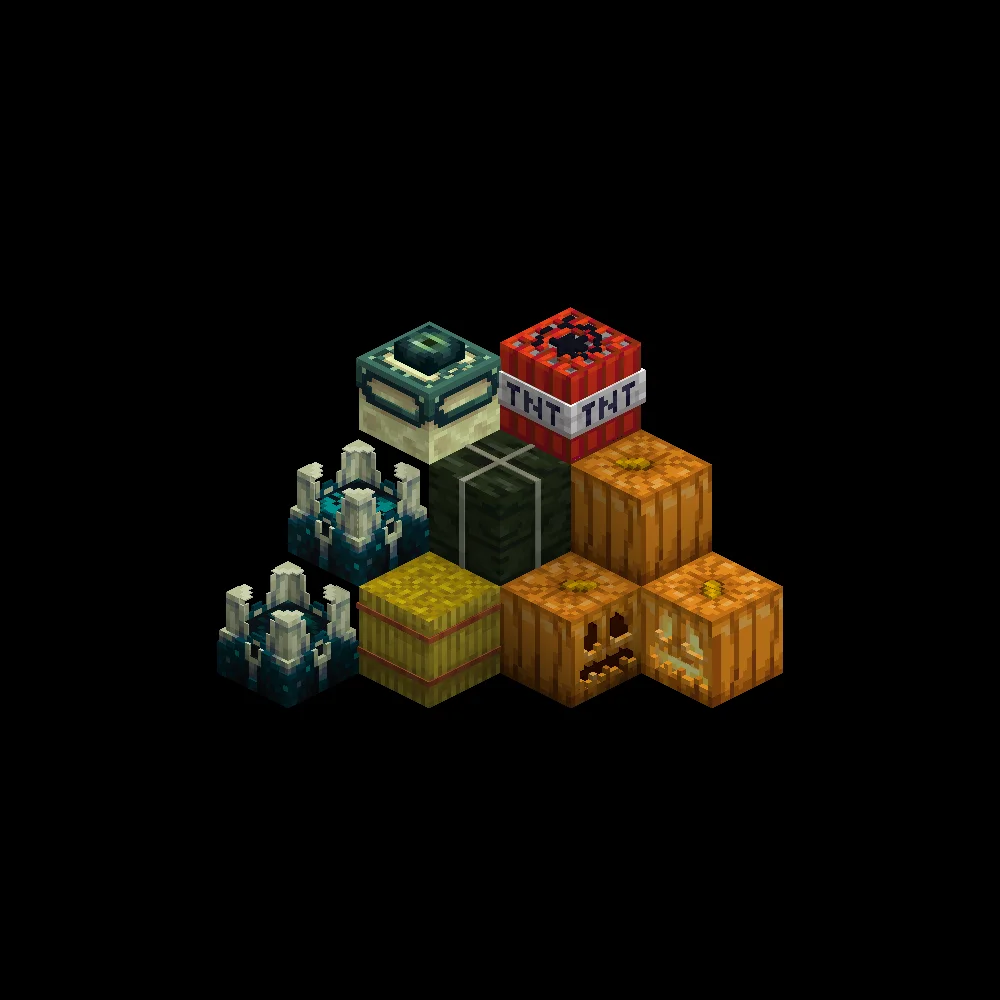
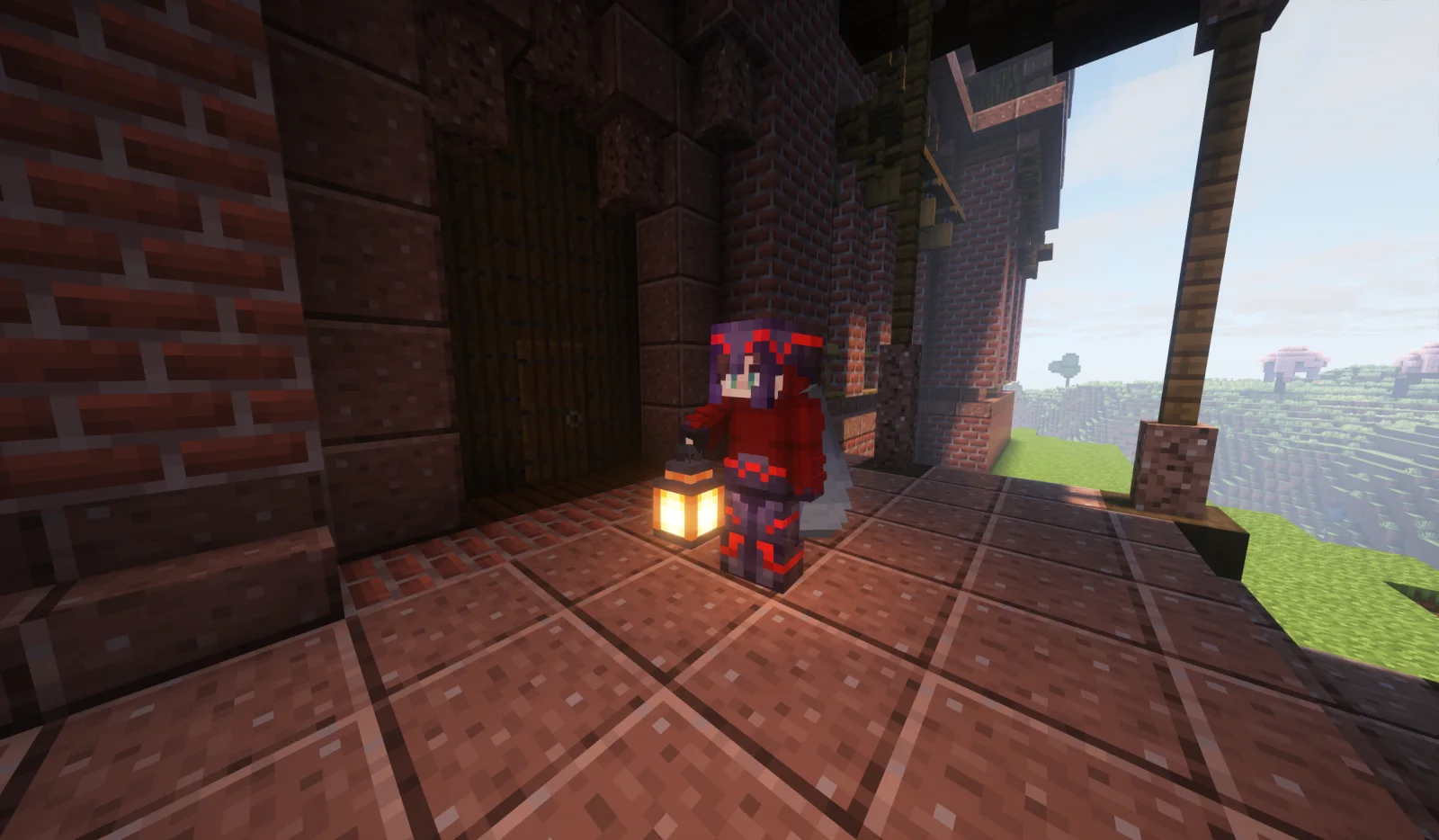
Simply 3D Extras is a resource pack made by Konijnebeer. A add-on for Simply 3D with more blocks.
It supports Minecraft 1.19 – 1.20. It has been downloaded 128,532 times on Modrinth. The last update came out on Jun 8, 2023.
Simply 3D Extras has had 2 releases on Modrinth since Aug 22, 2022. None of them came out in the past year. The newest is 1.0.0, released on Jun 8, 2023. It is made for Minecraft 1.20. It runs on Minecraft. The download is 74 KB.
| Version | Released | Minecraft | Type |
|---|---|---|---|
1.0.0 | Jun 8, 2023 | 1.20 | Release |
0.1.0 | Aug 22, 2022 | 1.19, 1.19.1, 1.19.2 | Beta |
This page is for addons to the Simply 3D pack
Click to go to the page!
This pack turns the utility blocks into 3D models, but does not over do it.
I only use 1/0.75/0.5/0.25 indents or raises to keep inline with the same 3D style as the item frame.
These blocks are not utility blocks but I think they still would work nice when they are 3D, Hope you like them!
(Soon)
There is a version for NEA holding the lanters in your hand with a 3D model (also one not in my style)
modrinth.com/mod/not-enough-animations
Blocks That Have A Model (Extras)
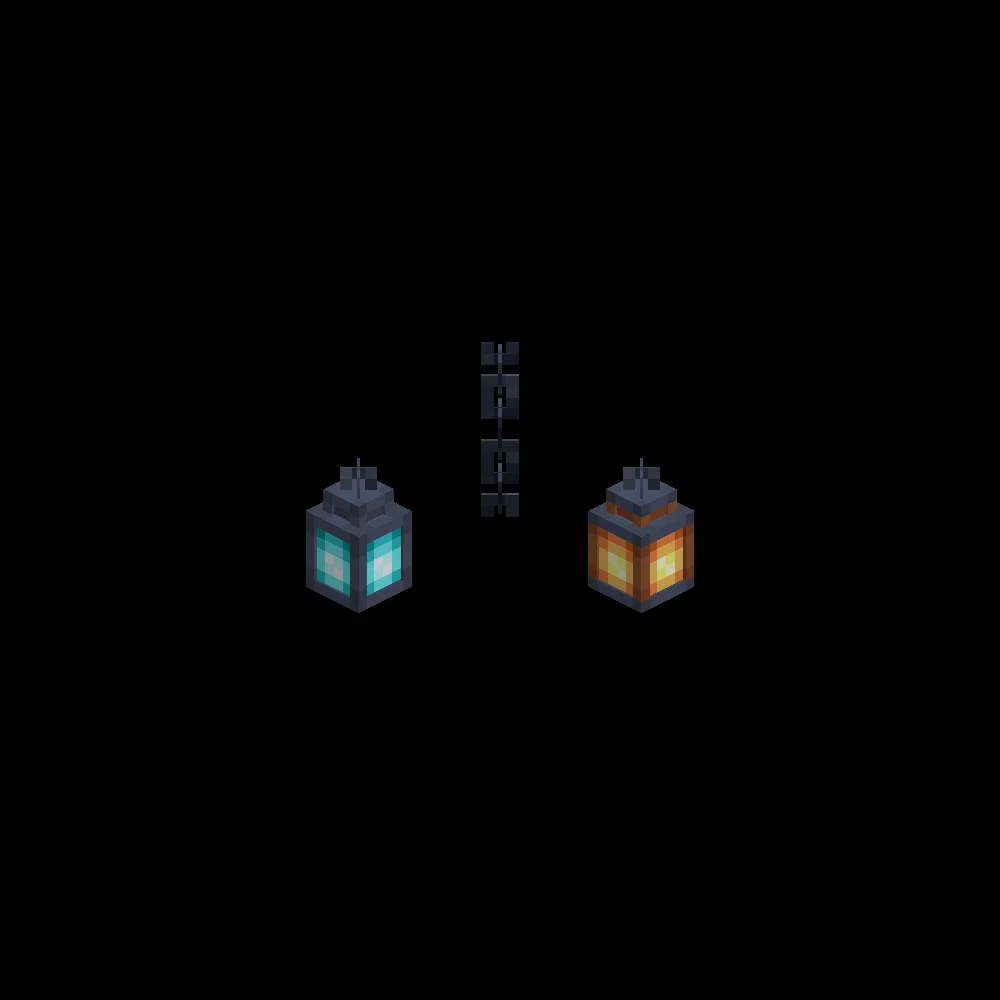
Blocks That Have A Model (Lanterns)
This pack could with a lot of other pack as it still uses the vanilla textures and only modifys the models, as long as a pack doesn't change positions of certain details it would work.
Make sure this texture pack is on-top of all the other packs.
Written by Konijnebeer. Read it with pictures on Modrinth.
Download the .zip file from Modrinth. Do not unzip it.
In Minecraft, open Options, then Resource Packs, then Open Pack Folder.
Drop the .zip file into that folder and go back to the game.
Move Simply 3D Extras to the right-hand list and click Done.
It is made for Minecraft 1.19 – 1.20. On other versions Minecraft marks it as incompatible, but it often still works.
Full guide: How to install Minecraft resource packs
| Resource | Downloads | Versions | Last update | Price |
|---|---|---|---|---|
| Simply 3D Extrasthe one you looked at | 129K | 1.19 – 1.20 | Jun 8, 2023 | Free |
| Simply 3DKonijnebeer | 166K | 1.18 – 1.20 | Jun 8, 2023 | Free |
 Fast Better Grassrobotkoer | 14.1M | 1.19 – 26.x | Sep 15, 2026 | Free |
 Fresh Flower Pots: RotatedBlueHDGaming | 1.6M | 1.20 – 26.x | Sep 19, 2026 | Free |
Not yet. The newest version it supports is Minecraft 1.20.
Yes. Simply 3D Extras is free to download from Modrinth.
Yes. The last update came out in the past day.
The closest ones are Simply 3D, Fast Better Grass and Fresh Flower Pots: Rotated. Compare all alternatives
Simply 3DResource packs · 1.18 – 1.20A Pack to make certain utility blocks 3D, but keeping it vanilla-like
Fast Better GrassResource packs · 1.19 – 26.xMakes grass and related blocks use the top texture on the sides. Works with other resource packs!
Fresh Flower Pots: RotatedResource packs · 1.20 – 26.xAdd-on for Fresh Flower Pots that adds subtle random rotation
 Eggs N EyesResource packs · 1.21 – 26.x
Add eyes to most of the new spawn eggs.
 Colourful containers GUIResource packs · 1.8 – 26.x
A container GUI replacement mod that hopes to match the menu to every one of Minecraft's colourful interactable blocks.
 Minecarts with WheelsResource packs · 1.20 – 26.x
Add working wheels to Minecarts!
Log in to leave a review.