
 Overlay’sResource packs · 1.13 – 26.x
26.3 × Adds seamless block overlays, blending compatible blocks together for a more natural and detailed world.
Free501,967 downloads
Adds transitions between natural blocks
Direct download from Modrinth · 120,262 downloads
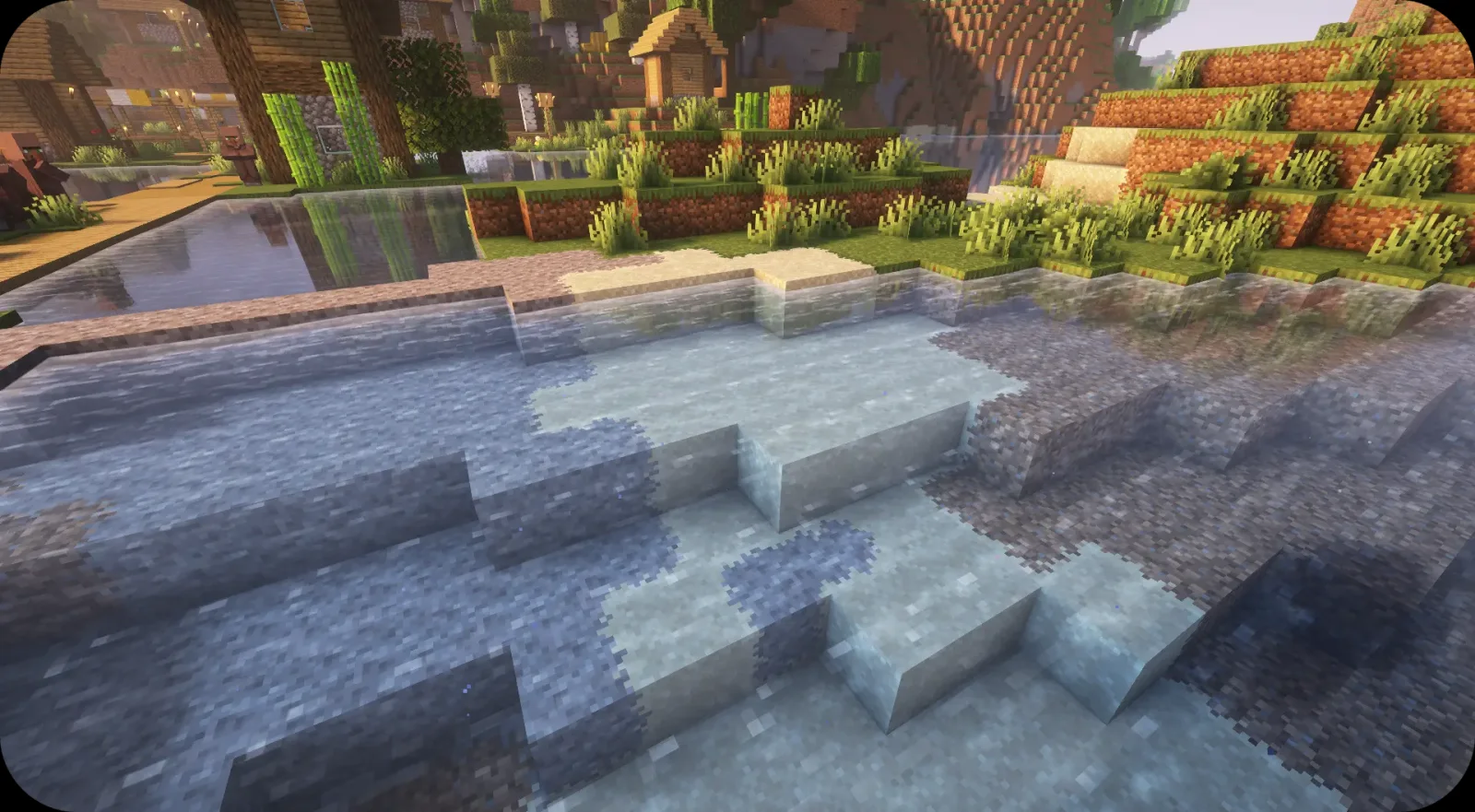
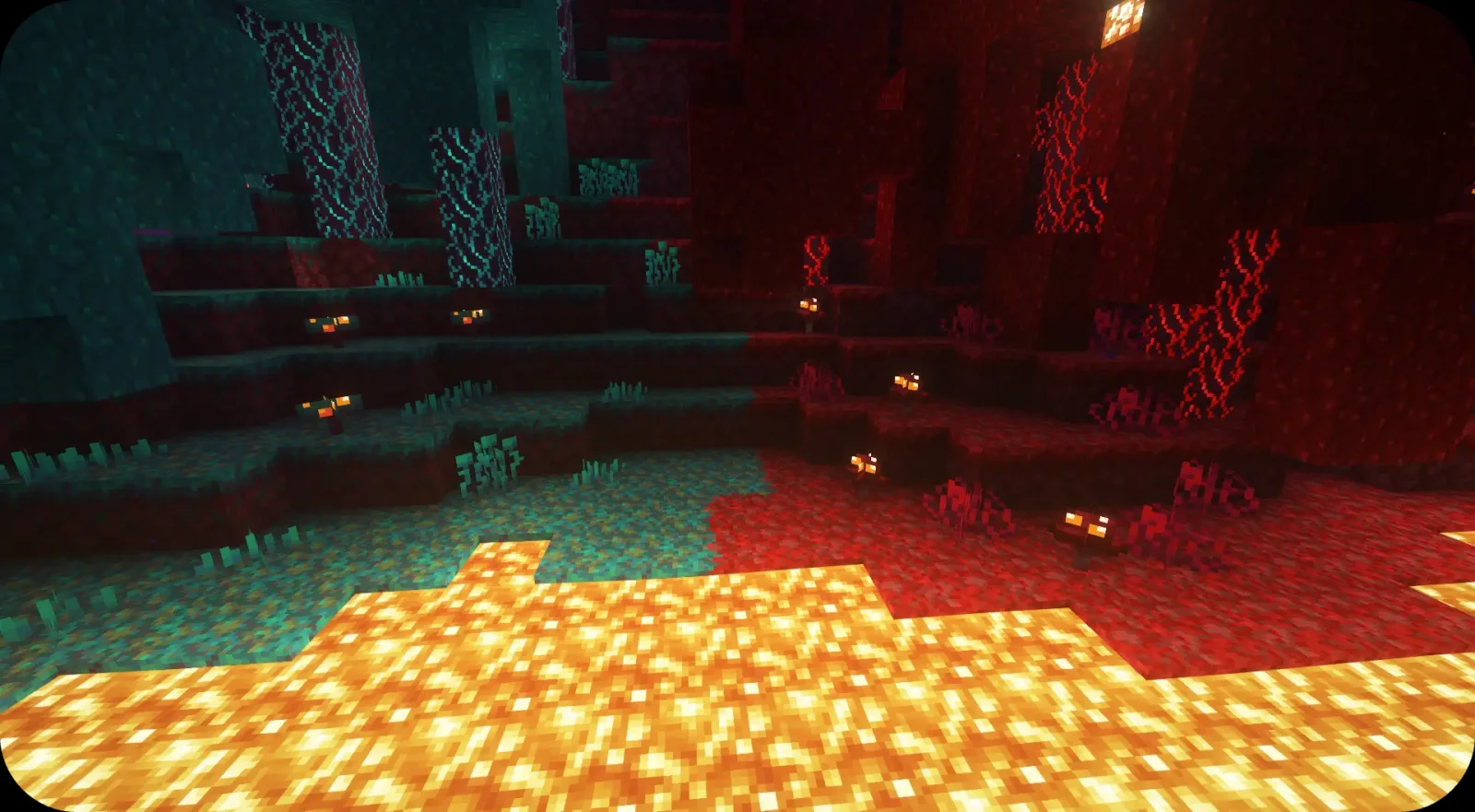
Fusion Block Transitions is a resource pack made by SuperMartijn642. Adds transitions between natural blocks.
It supports Minecraft 1.20 – 26.x. It has been downloaded 120,262 times on Modrinth. The last update came out on Oct 1, 2025.
Fusion Block Transitions has had 4 releases on Modrinth since Jul 28, 2025. None of them came out in the past year. The newest is 1.0.3-mc1.20-26.3, released on Sep 30, 2025. It is made for Minecraft 1.20 – 26.3. It runs on Minecraft. The download is 35 KB.
| Version | Released | Minecraft | Type |
|---|---|---|---|
1.0.3-mc1.20-26.3 | Sep 30, 2025 | 1.20 – 26.3 | Release |
1.0.2-mc1.20-1.21.8 | Aug 22, 2025 | 1.20 – 1.21.8 | Release |
1.0.1-mc1.20-1.21.8 | Jul 29, 2025 | 1.20 – 1.21.8 | Release |
1.0.0-mc1.20-1.21.8 | Jul 28, 2025 | 1.20 – 1.21.8 | Release |
For future content, upcoming mods, and discussion, feel free to join the SuperMartijn642 discord server!
Written by SuperMartijn642. Read it with pictures on Modrinth.
Download the .zip file from Modrinth. Do not unzip it.
In Minecraft, open Options, then Resource Packs, then Open Pack Folder.
Drop the .zip file into that folder and go back to the game.
Move Fusion Block Transitions to the right-hand list and click Done.
It is made for Minecraft 1.20 – 26.x. On other versions Minecraft marks it as incompatible, but it often still works.
Full guide: How to install Minecraft resource packs
| Resource | Downloads | Versions | Last update | Price |
|---|---|---|---|---|
| Fusion Block Transitionsthe one you looked at | 120K | 1.20 – 26.x | Oct 1, 2025 | Free |
| Overlay’sitzSandw | 502K | 1.13 – 26.x | 20 days ago | Free |
 3D Trial ChambersPigGold16 | 296K | 1.20 – 1.21 | Dec 21, 2025 | Free |
| Fusion Connected BlocksSuperMartijn642 | 121K | 1.20 – 26.x | Jul 31, 2026 | Free |
Yes. Fusion Block Transitions supports Minecraft 26.x. All supported versions: 26.x, 1.21, 1.20.
Yes. Fusion Block Transitions is free to download from Modrinth.
Yes: Fusion (Connected Textures). Install it before Fusion Block Transitions.
Yes. The last update came out in the past day.
The closest ones are Overlay’s, 3D Trial Chambers and Fusion Connected Blocks. Compare all alternatives
Overlay’sResource packs · 1.13 – 26.x26.3 × Adds seamless block overlays, blending compatible blocks together for a more natural and detailed world.
3D Trial ChambersResource packs · 1.20 – 1.21Simple pack that adds 3D models for blocks and items found in Trial Chambers
Makes textures from many blocks connect
 Fast Better GrassResource packs · 1.19 – 26.x
Makes grass and related blocks use the top texture on the sides. Works with other resource packs!
 Rainbow Diamond Ores & Ancient DebrisResource packs · 1.13 – 26.x
Adds a rainbow outline around diamond ores and ancient debris, making these blocks stand out.
 Fresh FoodResource packs · 1.20 – 26.x
A Minecraft resource pack that adds 3D food models and eating animations!
Log in to leave a review.