
 Server BrowserMods · 1.18 – 1.21
Making modded servers easier to find by finding them in game!
Free3,393,599 downloads
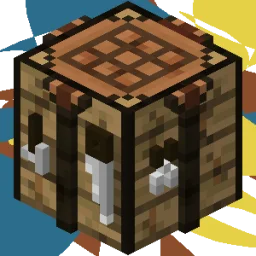
This project adds extra recipes, making blocks such as Calcite easier to obtain by crafting.
Direct download from Modrinth · 3 downloads
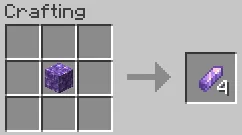
Jade's Additional Recipes is a mod made by JadeMagnolias. This project adds extra recipes, making blocks such as Calcite easier to obtain by crafting.
It supports Minecraft 1.20. It has been downloaded 3 times on Modrinth. The last update came out on Oct 19, 2026.
The newest is 1, released on Oct 19, 2026. It is made for Minecraft 1.20.1. It runs on Forge. The download is 24 KB.
| Version | Released | Minecraft | Type |
|---|---|---|---|
1 | Oct 19, 2026 | 1.20.1 | Release |
Jade's Additional Resources (JAR) is a mod that adds, as the name implies, more recipes. These recipes are designed to not break progression in any way, and simply provide more convenient ways to obtain certain items.
Recently, I was playing through one of the ATM modpacks, and I was about to craft something but realised I needed a very small amount of calcite. Of course, I checked if I had any, or if it was craftable, but in the end I had to travel a few hundred blocks to find a mountain biome with calcite in it. That is why this mod exists; to make those random items easier to obtain, rather than needing to go on a side quest every time you need some item.
Yea. Port it, use it on a Curseforge modpack, do whatever you want with it. Feel free to use any spritework I make for this mod in anything aswell.
Made using intelliJ IDEA 2025.3.1 for the modding & Aseprite for the sprites.
Written by JadeMagnolias. Read it with pictures on Modrinth.
This mod is needed on both the server and every player who joins.
Install Forge for Minecraft 1.20.
Download the .jar file from Modrinth and put it in the mods folder of your .minecraft directory.
Start Minecraft with the Forge profile.
Easier: in Prism Launcher or the Modrinth App, search for Jade's Additional Recipes in your instance's mods and click Install. It adds the loader and the mods it needs for you.
Full guide: How to install Minecraft mods
| Resource | Downloads | Versions | Last update | Price |
|---|---|---|---|---|
| Jade's Additional Recipesthe one you looked at | 3 | 1.20 | 23 days ago | Free |
| Server BrowserTheThonk | 3.4M | 1.18 – 1.21 | Apr 4, 2025 | Free |
 Item Scrollermasa | 3.1M | 1.8 – 26.x | Sep 28, 2026 | Free |
 Crafting TweaksBlayTheNinth | 10.6M | 1.12 – 26.x | 8 days ago | Free |
Not yet. The newest version it supports is Minecraft 1.20.
Yes. Jade's Additional Recipes is free to download from Modrinth.
Both. The server and every player need Jade's Additional Recipes installed.
Yes. The last update came out in the past day.
The closest ones are Server Browser, Item Scroller and Crafting Tweaks. Compare all alternatives
Server BrowserMods · 1.18 – 1.21Making modded servers easier to find by finding them in game!
Item ScrollerMods · 1.8 – 26.xA client mod that adds many shortcuts to move items easier and craft faster in inventory screens
Crafting TweaksMods · 1.12 – 26.xAllows you to rotate, balance or clear crafting grids by the press of a button.
 TrashSlotMods · 1.18 – 26.x
Adds a draggable trash slot to all inventory screens. Press T to toggle.
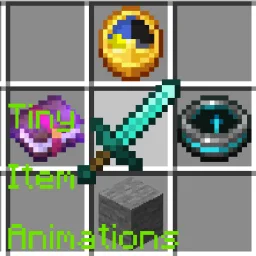 Tiny Item AnimationsMods · 1.18 – 1.21
Adds little animations when you pick up or insert items with your mouse.
 Better ModListMods · 1.20 – 26.x
enhances neoforge modlist by adding options to hide mods, libraries, adding badges to mods to define what it does and more. as well as making it look better.
Log in to leave a review.