
 Shoulder Surfing ReloadedMods · 1.8 – 26.x
Highly configurable third person camera mod
Free12,840,990 downloads

Added multiple highly configurable spooky entities
Direct download from Modrinth · 1 downloads
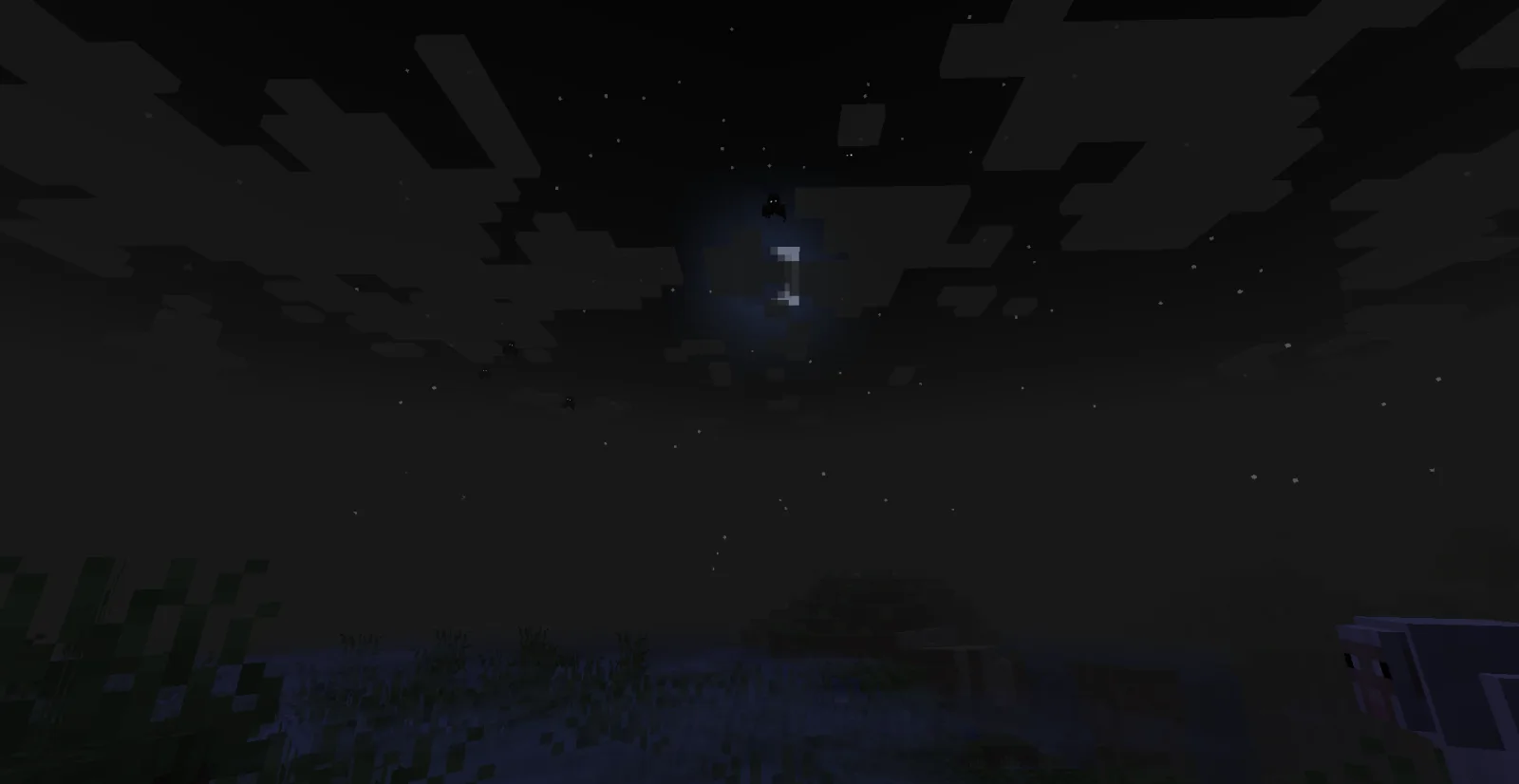
The Watching Shade is a mod made by alexander.25.k. Added multiple highly configurable spooky entities.
It supports Minecraft 1.20. It has been downloaded 1 times on Modrinth. The last update came out on Nov 5, 2026.
The Watching Shade has had 3 releases on Modrinth since Oct 30, 2026. 3 of them came out in the past year. The newest is 2.0.2, released on Nov 4, 2026. It is made for Minecraft 1.20.1. It runs on Forge. The download is 6.6 MB.
| Version | Released | Minecraft | Type |
|---|---|---|---|
2.0.2 | Nov 4, 2026 | 1.20.1 | Release |
2.0.1 | Oct 30, 2026 | 1.20.1 | Release |
2.0.0 | Oct 30, 2026 | 1.20.1 | Release |
The mod is recommended to be played with Fog, Particle Rain and Geophilic mods!
(Not required but recommended for the best experience)
This mod adds multiple creepy entities to your world, some are completely harmless, some may simply jumpscare or hit you, some may break blocks or build strange structures.
There is also the "main" entity with the same name as the mod itself, which can actually cause problems to you unlike the lesser ones but most of the times it just prefers to stalk you.
As of now, the mod has four entities:
Spoiler
( As the summary says, all of them are highly configurable using
Configured )
This mod is essentially a remake of my very old mod, it doesn't have too many new features compared to that one but it was completely recoded to heavily improve some technical aspects and HEAVILY reduce the amount of bugs.
Itszhaba - most of the hood texture
Mr. Gibbo - jumpscare sound
Riverrflower - idea and design of Victim and Vortex
MediaMotifs - soundtrack for creepy music event
Written by alexander.25.k. Read it with pictures on Modrinth.
This mod is needed on both the server and every player who joins.
Install Forge for Minecraft 1.20.
Download the .jar file from Modrinth and put it in the mods folder of your .minecraft directory.
Start Minecraft with the Forge profile.
Easier: in Prism Launcher or the Modrinth App, search for The Watching Shade in your instance's mods and click Install. It adds the loader and the mods it needs for you.
Full guide: How to install Minecraft mods
| Resource | Downloads | Versions | Last update | Price |
|---|---|---|---|---|
| The Watching Shadethe one you looked at | 1 | 1.20 | 7 days ago | Free |
| Shoulder Surfing ReloadedExopandora | 12.8M | 1.8 – 26.x | 2 days ago | Free |
 Vein MiningTheIllusiveC4 | 9.8M | 1.16 – 1.21 | Jul 30, 2024 | Free |
 Create: ConnectedLysine | 7.4M | 1.18 – 1.21 | Aug 31, 2026 | Free |
Not yet. The newest version it supports is Minecraft 1.20.
Yes. The Watching Shade is free to download from Modrinth.
Both. The server and every player need The Watching Shade installed.
Yes. The last update came out in the past day.
The closest ones are Shoulder Surfing Reloaded, Vein Mining and Create: Connected. Compare all alternatives
Shoulder Surfing ReloadedMods · 1.8 – 26.xHighly configurable third person camera mod
Vein MiningMods · 1.16 – 1.21A lightweight, highly configurable Vein Mining enchantment for tools.
Create: ConnectedMods · 1.18 – 1.21QoL blocks that you wish existed in Create - Highly configurable, disable what you don't need
 GoetyMods · 1.16 – 1.21
Perform necromancy and dark rituals using the power of souls. Highly configurable.
 Towers of the Wild ModdedMods · 1.19 – 1.21
Towers of the Wild - added to multiple dimensions and planets + waystone & paragliders
 Fishing RealMods · 1.16 – 26.x
Fish up real entities instead of the items! Configurable with Datapacks!
Log in to leave a review.