
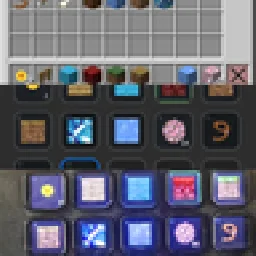
 StreamDeckMacrosMods · 1.21
Use your Stream Deck as a customizable Minecraft controller for hotbar slots, inventory management, actions, shortcuts, commands, and more.
Free25 downloads
Allows you to add Quick Shortcuts with the /qs command, can store up to 10 commands.
Direct download from Modrinth · 12 downloads
QuickCommandShorcuts is a mod made by koopie. Allows you to add Quick Shortcuts with the /qs command, can store up to 10 commands.
It supports Minecraft 26.x. It has been downloaded 12 times on Modrinth. The last update came out on Oct 9, 2026.
QuickCommandShorcuts has had 3 releases on Modrinth since Sep 18, 2026. 3 of them came out in the past year. The newest is 1.0.2, released on Oct 9, 2026. It runs on Fabric. The download is 35 KB.
| Version | Released | Minecraft | Type |
|---|---|---|---|
1.0.2 | Oct 9, 2026 | – | Release |
1.0.1 | Sep 19, 2026 | 26.3 | Release |
1.0.0 | Sep 18, 2026 | 26.3 | Beta |
this mod adds the /qs command
allows you to add quick shortcuts that you can use as commands
can store up to 10 commands at once
use this:
/qs add
every command has to be typed inside curly brackets {}
adding more than one command is optional
example
this will adds a shorcut that will summon a zombie:
/qs add shortcut1 {summon zombie}
and this will make a shorcut that would summon a zombie and give you a diamond sword:
/qs add shortcut1 {summon zombie} {/give @s diamond_sword}
you can go to the pause menu and find the quick shortcuts button:
or to run the shortcut you will have to do /name
the name will be the name you gave to the shortcut
example
if the qs command you ran was for example:
/qs add shortcut1 {summon zombie}
then if you want to run the shortcut you will have to do:
/shortcut1
to remove shortcuts you will have to do */qs remove *
example
if the qs command you ran was for example:
/qs add shortcut1 {summon zombie}
then to remove it you will have to do:
/qs remove shortcut1
now you wont be able to do:
/shortcut1
to change existing shortcuts you will have to do
/qs modify
example
if the qs command you ran was for example:
/qs add shortcut1 {summon zombie}
then to change the commands you will have to do:
/qs modify shortcut1 {give @s diamond_sword}
now when you run the shortcut it will give you a diamond sword
if your shortcut had more than one command and you want to keep some of the commands the same
then you will have to use {same} in the command you want to keep the same
Written by koopie. Read it with pictures on Modrinth.
This mod runs only on your own game. Servers do not need it, so you can use it on any server.
Install Fabric for Minecraft 26.x.
Download the .jar file from Modrinth and put it in the mods folder of your .minecraft directory.
Start Minecraft with the Fabric profile.
Easier: in Prism Launcher or the Modrinth App, search for QuickCommandShorcuts in your instance's mods and click Install. It adds the loader and the mods it needs for you.
Full guide: How to install Minecraft mods
| Resource | Downloads | Versions | Last update | Price |
|---|---|---|---|---|
| QuickCommandShorcutsthe one you looked at | 12 | 26.x | Oct 9, 2026 | Free |
| StreamDeckMacrosariel.galnur | 25 | 1.21 | Aug 29, 2026 | Free |
 RTN`s PALM AuthRTN_project | 53 | 1.21 – 26.x | 5 days ago | Free |
 Starter KitSerilum | 10.8M | 1.16 – 26.x | 17 days ago | Free |
Yes. QuickCommandShorcuts supports Minecraft 26.x. All supported versions: 26.x.
Yes. QuickCommandShorcuts is free to download from Modrinth.
Client-side. QuickCommandShorcuts goes in your own mods folder and works on any server, including servers without mods.
Yes. The last update came out in the past day.
The closest ones are StreamDeckMacros, RTN`s PALM Auth and Starter Kit. Compare all alternatives
StreamDeckMacrosMods · 1.21Use your Stream Deck as a customizable Minecraft controller for hotbar slots, inventory management, actions, shortcuts, commands, and more.
RTN`s PALM AuthMods · 1.21 – 26.xRTN's PALM Auth Mod is a premium, mod-only authentication system for NeoForge. Forget boring chat commands! Experience seamless GUI login, captcha, and a…
Starter KitMods · 1.16 – 26.x📦 Give all new players joining the world configurable starter gear, items, potion effects, Curios and Trinkets slots and/or commands. Compatible with FTB Team…
 Item ScrollerMods · 1.8 – 26.x
A client mod that adds many shortcuts to move items easier and craft faster in inventory screens
 Radical Cobblemon Trainers APIMods · 1.21
Trainer management and battle API for Cobblemon.
 Better Compatibility CheckerMods · 1.16 – 26.x
Changes the default server compatibility check to compare modpack versions
Log in to leave a review.