
 Monsters in the ClosetMods · 1.16 – 1.21
Highlights the mobs that are preventing you from sleeping
Free8,083,014 downloads
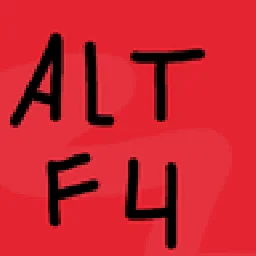
A Minecraft mod that prevents you from closing the game with Alt F4.
Direct download from Modrinth · 6 downloads
Alt F4 is a mod made by Wilm13. A Minecraft mod that prevents you from closing the game with Alt F4.
It supports Minecraft 1.20 – 26.x. It has been downloaded 6 times on Modrinth. The last update came out on Oct 30, 2026.
Alt F4 has had 3 releases on Modrinth since Oct 18, 2026. 3 of them came out in the past year. The newest is 1.0.0, released on Oct 30, 2026. It is made for Minecraft 26.3. It runs on NeoForge. The download is 3 KB.
| Version | Released | Minecraft | Type |
|---|---|---|---|
1.0.0 | Oct 30, 2026 | 26.3 | Release |
1.0.0 | Oct 20, 2026 | 26.3 | Release |
1.0.0 | Oct 18, 2026 | 1.20.1 | Release |
A small client-side mod that stops Minecraft from being closed with Alt+F4 while you are in a world or on a server.
This mod is client-side only. It does not work on a server.
License: CC BY-NC-SA 4.0.
The mod may be freely played, streamed and shown in videos, including monetized ones.
Written by Wilm13. Read it with pictures on Modrinth.
This mod runs only on your own game. Servers do not need it, so you can use it on any server.
Install Fabric and NeoForge for Minecraft 1.20 – 26.x.
Download the .jar file from Modrinth and put it in the mods folder of your .minecraft directory.
Start Minecraft with the Fabric profile.
Easier: in Prism Launcher or the Modrinth App, search for Alt F4 in your instance's mods and click Install. It adds the loader and the mods it needs for you.
Full guide: How to install Minecraft mods
| Resource | Downloads | Versions | Last update | Price |
|---|---|---|---|---|
| Alt F4the one you looked at | 6 | 1.20 – 26.x | 16 days ago | Free |
| Monsters in the ClosetMinenash | 8.1M | 1.16 – 1.21 | Oct 2, 2025 | Free |
 AltHaltGoodrichDev | 19 | 26.x | Sep 16, 2026 | Free |
 Beds Need HomesSDArthur | 12 | 1.21 | 16 days ago | Free |
Yes. Alt F4 supports Minecraft 26.x. All supported versions: 26.x, 1.20.
Yes. Alt F4 is free to download from Modrinth.
Client-side. Alt F4 goes in your own mods folder and works on any server, including servers without mods.
Yes. The last update came out in the past day.
The closest ones are Monsters in the Closet, AltHalt and Beds Need Homes. Compare all alternatives
Monsters in the ClosetMods · 1.16 – 1.21Highlights the mobs that are preventing you from sleeping
AltHaltMods · 26.xAltHalt is a client-side Fabric mod that helps prevent accidental server joins with the wrong account or a previously shared public IP.
Beds Need HomesMods · 1.21Adds a little more difficulty to the start of the game by requiring beds to be built inside a closed space.
 Simple Crash MenuMods · 1.16 – 1.21
Simply added a crash menu to prevent exiting game during crash.
Log in to leave a review.