
 Crash AssistantMods · 1.8 – 26.x
Shows a GUI after Minecraft crashes, immediately showing and analyzing all affected logs.
Free21,710,369 downloads

This mod fixes some crashes when using Create (actually when using Ponder, which is a component included in Create)
Direct download from Modrinth · 7 downloads
Catnip Fix is a mod made by MausKaffee34767-2. This mod fixes some crashes when using Create (actually when using Ponder, which is a component included in Create).
It supports Minecraft 1.20. It has been downloaded 7 times on Modrinth. The last update came out on Sep 21, 2026.
The newest is 1.0.0, released on Sep 21, 2026. It is made for Minecraft 1.20.1. It runs on Forge. The download is 139 KB.
| Version | Released | Minecraft | Type |
|---|---|---|---|
1.0.0 | Sep 21, 2026 | 1.20.1 | Release |
Catnip Fix is open source. Its newest release on GitHub is 1.0.0, published on Sep 23, 2026.
Full Changelog: https://github.com/MausKaffee34767-2/catnipfix/commits/1.0.0
Download at Modrinth
Catnip Fix fixes some crashes when using the Create Mod. When using Create with some incorrectly implemented plugins it seems to randomly crash with java.lang.ConcurrentModificationException: [something]. This mod fixes that by wrapping the java.util.Map used in net.createmod.catnip.render.StitchedSprite with a java.util.concurrent.ConcurrentMap
The names comes from the class this mod modifies, specifically net.createmod.catnip.render.StitchedSprite
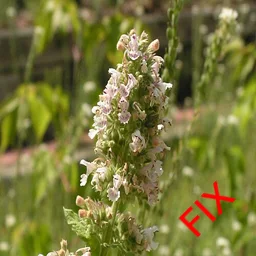
The icon is a modified (resized) version of this image (Credits: D. Gordon E. Robertson, CC BY-SA 3.0, via Wikimedia Commons) with the text "FIX" added
Written by MausKaffee34767-2. Read it with pictures on Modrinth.
This mod runs only on your own game. Servers do not need it, so you can use it on any server.
Install Forge for Minecraft 1.20.
Download the .jar file from Modrinth and put it in the mods folder of your .minecraft directory.
Start Minecraft with the Forge profile.
Easier: in Prism Launcher or the Modrinth App, search for Catnip Fix in your instance's mods and click Install. It adds the loader and the mods it needs for you.
Full guide: How to install Minecraft mods
| Resource | Downloads | Versions | Last update | Price |
|---|---|---|---|---|
| Catnip Fixthe one you looked at | 7 | 1.20 | Sep 21, 2026 | Free |
| Crash AssistantKostromDan | 21.7M | 1.8 – 26.x | Sep 21, 2026 | Free |
 Not Enough Crashesnatanfudge | 16.4M | 1.16 – 26.x | Oct 14, 2026 | Free |
| Please Crash My Gameamvern | 56 | 26.x | Oct 5, 2026 | Free |
Not yet. The newest version it supports is Minecraft 1.20.
Yes. Catnip Fix is free to download from Modrinth.
Client-side. Catnip Fix goes in your own mods folder and works on any server, including servers without mods.
Yes. The last update came out in the past day.
The closest ones are Crash Assistant, Not Enough Crashes and Please Crash My Game. Compare all alternatives
Crash AssistantMods · 1.8 – 26.xShows a GUI after Minecraft crashes, immediately showing and analyzing all affected logs.
Not Enough CrashesMods · 1.16 – 26.xWhen crashing, you can go back to the title screen and keep playing, without needing to restart, alongside other things to make crashes more pleasant.
A mod to crash your game, just for kicks
 Simple Crash MenuMods · 1.16 – 1.21
Simply added a crash menu to prevent exiting game during crash.
 Projection Opens Genshin / CrashMods · 1.21 – 26.x
Detects projection mods (Litematica/Schematica) and either opens the Genshin Impact website or crashes the game.
Log in to leave a review.