
 Create: Interactive pantographsMods · 1.21
Makes CEE pantographs interactable even when assembled on trains
Free290 downloads
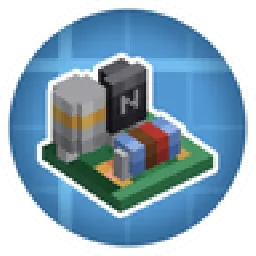
Circuit boards for Create: Electro Energetics. Draw schematics on a design table, etch and assemble PCBs with Create machines, and build working circuits from…
Direct download from Modrinth · 5 downloads
Source and ownership. This page was generated automatically from public data that Modrinth provides through its public API. The name, descriptions, images, trademarks and all other content of this project belong to sjzeero and their respective owners. CraftRank is not the author of this project and is not affiliated with, endorsed or sponsored by its author or by Modrinth.
Hosting and distribution. CraftRank does not host, store, upload or distribute the download files of this project, and no such file is kept on CraftRank's servers. Every download is provided directly by Modrinth from its own servers; the Download button only links to the file there. The license stated on Modrinth is Apache-2.0.
Use of public APIs. Modrinth, Hangar (PaperMC) and SpigotMC (through the Spiget API) make their APIs publicly available to third-party websites and applications. Modrinth's Terms of Use give API users a license to download, display and query content through their own services (section “API Usage”), and creators who publish on Modrinth grant Modrinth and its licensees the right to display and distribute their content to third parties (section “User Contributions”). CraftRank uses these APIs in line with the platforms' published rules: it identifies itself in every request and respects their rate limits.
No warranty. The information on this page is provided "as is", without any warranty. Downloading and using this project is at your own risk and subject to the license and terms of its author.
Copyright notices (DMCA). Only the copyright owner or someone authorised to act for them may file a notice, and it must come from a person of legal age or from their parent or legal guardian. A valid notice sent to abuse@craftrank.org must contain: the link of this page; the work claimed to be infringed; your full name, postal address, phone number and e-mail; a statement that you believe in good faith that the use is not authorised by the owner, its agent or the law; a statement, under penalty of perjury, that the notice is accurate and that you are the owner or authorised to act for them; and your physical or electronic signature. Incomplete notices are not processed. Valid notices are acted on within 48 hours, with no need to go through Google.
False notices. Anyone who knowingly misrepresents that material is infringing is liable for the damages caused, including costs and attorneys' fees (17 U.S.C. § 512(f)). Notices filed in bad faith or by someone who does not hold the rights are kept on record and will be contested.
CEE: Voltworks is a mod made by sjzeero. Circuit boards for Create: Electro Energetics. Draw schematics on a design table, etch and assemble PCBs with Create machines, and build working circuits from…
It supports Minecraft 1.21. It has been downloaded 5 times on Modrinth. The last update came out on Sep 28, 2026.
The newest is 1.0.0, released on Sep 28, 2026. It is made for Minecraft 1.21.1. It runs on NeoForge. The download is 1.4 MB.
| Version | Released | Minecraft | Type |
|---|---|---|---|
1.0.0 | Sep 28, 2026 | 1.21.1 | Release |
Voltworks is an addon for Create: Electro Energetics that adds real circuit boards you design yourself and then run on EE's electrical network.
Place a Circuit Design Table, give it power (it draws about 30 W, roughly 150 V across its two nodes) and put an empty schematic in. Clicking the canvas opens the schematic editor, where you place parts from your inventory, route traces on the top and bottom layers and confirm. The table writes the design onto the schematic item. Schematics can also be saved to and loaded from files in the circuits folder, so you can share them.
Don't overdo the voltage though. The table heats up with the power it takes and will blow up if you push it too hard.
Boards are made with Create machines, no magic crafting:
A deployer holding a written schematic copies it onto empty ones, which helps if you want to mass produce a design.
Around 30 parts, each simulated as a real component:
Parts heat up with the current through them and burn out if you overload them. An encased fan blowing through a board cools it down. With engineer's goggles you can read gauges and bulbs, and sneaking shows the part name, its temperature and the hottest part on the board.
In the world you can flip switches, press buttons, adjust potentiometers and reset blown fuses with an iron nugget. Bulbs actually light up the area and gauges put out a redstone signal.
Every board connector is a pin on the EE network. Wire a board to batteries, generators or other EE machines with normal EE wires and it just works. Boards placed next to or on top of each other can be linked through vias.
The mod also adds blank, copper and golden circuits, and some EE machines (motors, relays, transformers, voltage regulator, energy meters, SF6 breaker) need them in their recipes.
Hold any EE wire spool and press V to switch to wall mode. The wire then lies flat on floors, walls and ceilings instead of hanging in the air. It snaps to the pixel grid, runs straight, turns corners and wraps around blocks. Otherwise it is a normal EE wire with the same resistance, current limits and drops. The key can be rebound in the controls menu.
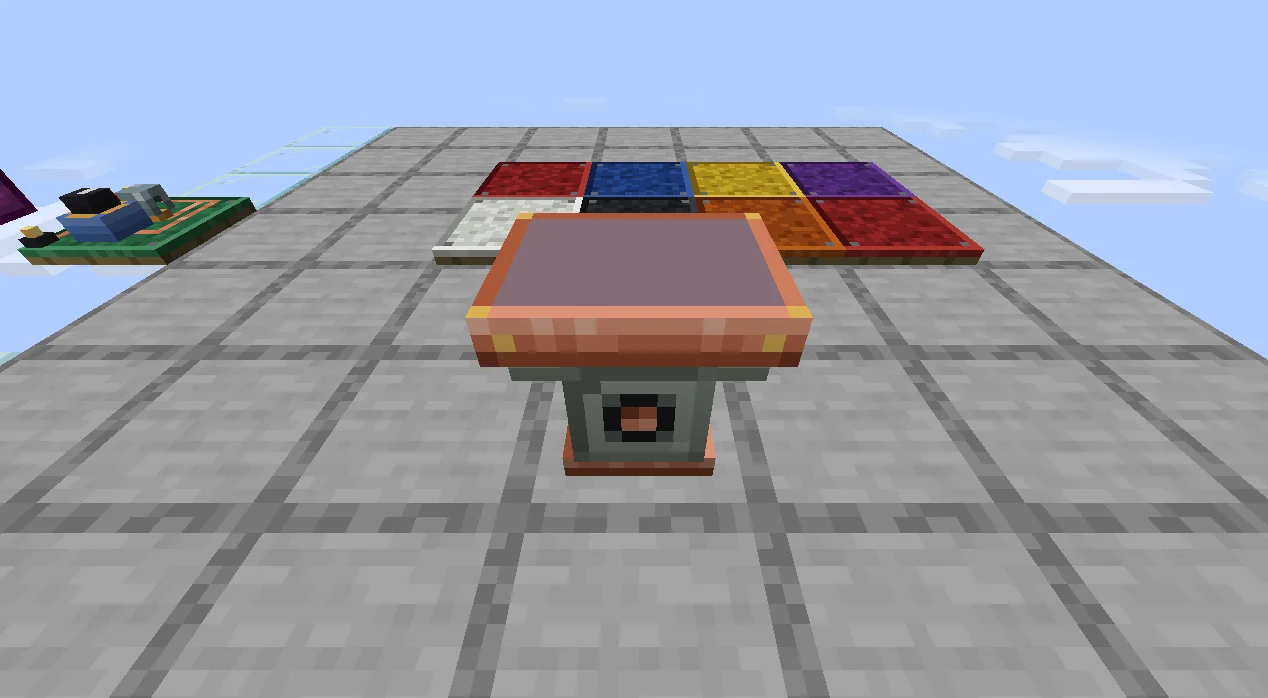
Boards come in green, white, black, orange, red, blue, yellow and purple. Right-click a placed board with a dye or craft the board with one.
EJML (the math library used by the circuit solver) is bundled in the jar, you don't need to install it.
Needed on both the client and the server.
The board and circuit system (schematics, editor, parts and solver) is ported from Create: Power Grid by patryk3211, licensed under Apache-2.0. The ported files keep their original license and are marked as modified, see NOTICE in the jar. Thanks to patryk3211 for a great mod and for making this possible.
The circuit item idea comes from Create: New Age.
All textures in Voltworks are original.
Voltworks is licensed under the Apache License 2.0. The code ported from Power Grid stays under its original Apache-2.0 license and attribution.
Written by sjzeero. Read it with pictures on Modrinth.
This mod is needed on both the server and every player who joins.
Install NeoForge for Minecraft 1.21.
Add the mods it needs: Create and Create: Electro Energetics.
Download the .jar file from Modrinth and put it in the mods folder of your .minecraft directory.
Start Minecraft with the NeoForge profile.
Easier: in Prism Launcher or the Modrinth App, search for CEE: Voltworks in your instance's mods and click Install. It adds the loader and the mods it needs for you.
Full guide: How to install Minecraft mods
| Resource | Downloads | Versions | Last update | Price |
|---|---|---|---|---|
| CEE: Voltworksthe one you looked at | 5 | 1.21 | Sep 28, 2026 | Free |
| Create: Interactive pantographsFake_enderpro | 290 | 1.21 | 3 days ago | Free |
 Create: Better SchematicsOurCreation | 164 | 1.21 | 15 days ago | Free |
 Storage DrawersTexelsaur | 4.4M | 1.8 – 26.x | Oct 11, 2026 | Free |
Not yet. The newest version it supports is Minecraft 1.21.
Yes. CEE: Voltworks is free to download from Modrinth.
Both. The server and every player need CEE: Voltworks installed.
Yes: Create, Create: Electro Energetics. Install it before CEE: Voltworks.
Yes. The last update came out in the past day.
The closest ones are Create: Interactive pantographs, Create: Better Schematics and Storage Drawers. Compare all alternatives
Create: Interactive pantographsMods · 1.21Makes CEE pantographs interactable even when assembled on trains
Create: Better SchematicsMods · 1.21Adds in many fixes and new features to Create’s schematic system.
Storage DrawersMods · 1.8 – 26.xInteractive bulk storage solution
 Extended DrawersMods · 1.18 – 26.x
Adds drawers and more
 Building WandsMods · 1.16 – 26.x
Building wands with different modes
 Not Enough Game DesignsMods · 1.20
Not Enough Game Designs is a mod that extensively modifies the original Minecraft game design, altering numerous features.
Log in to leave a review.