
 CoffeeShadersShaders · 1.20 – 26.x
Coffee Shaders is a mid-quality shader pack designed to enhance your game with smooth, realistic shadows, adjustable settings for personalized control, and a…
Free10,721 downloads

Realistic shader pack for can-pipe with a focus on quality and immersion
Direct download from Modrinth · 66,998 downloads
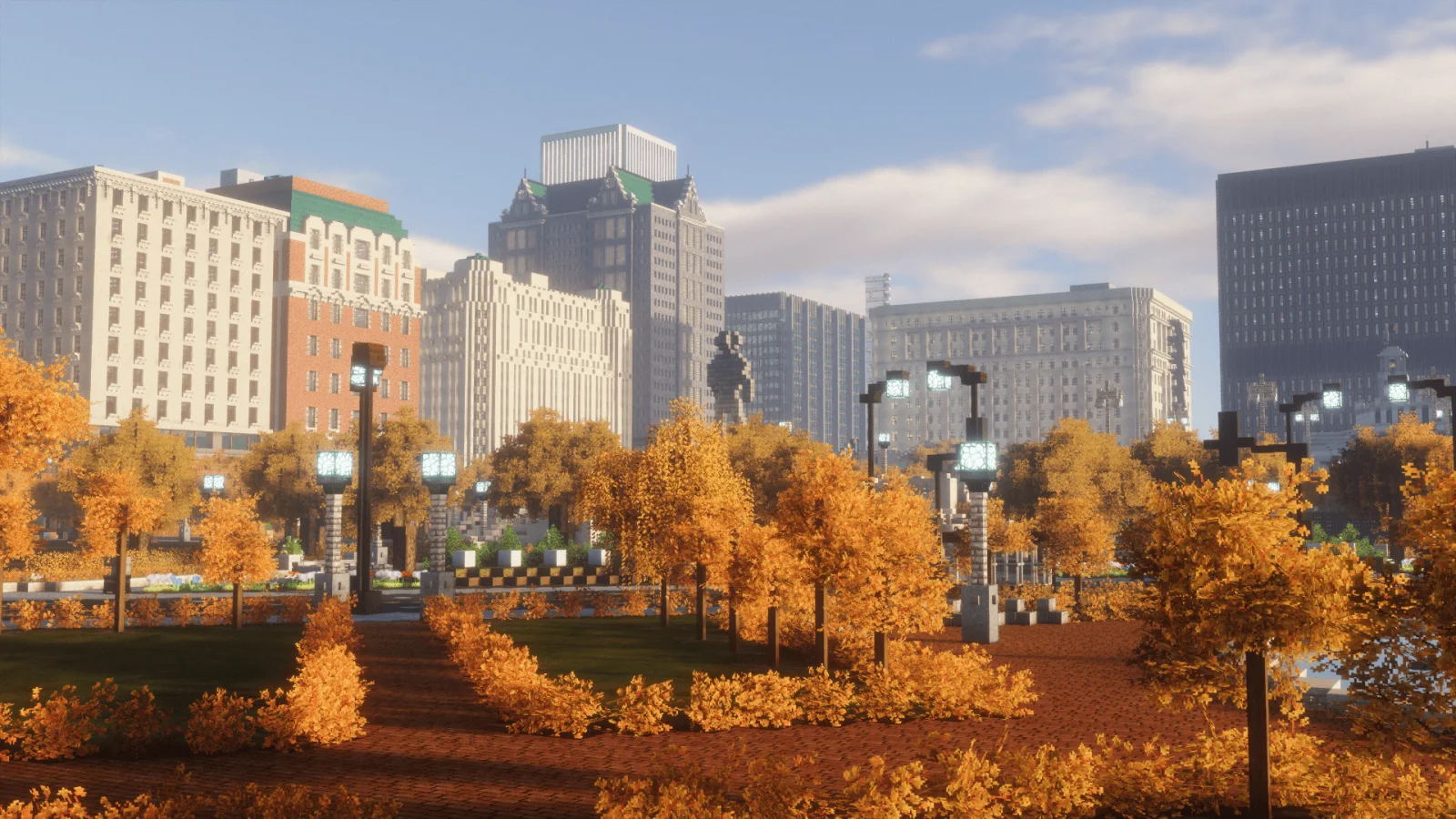
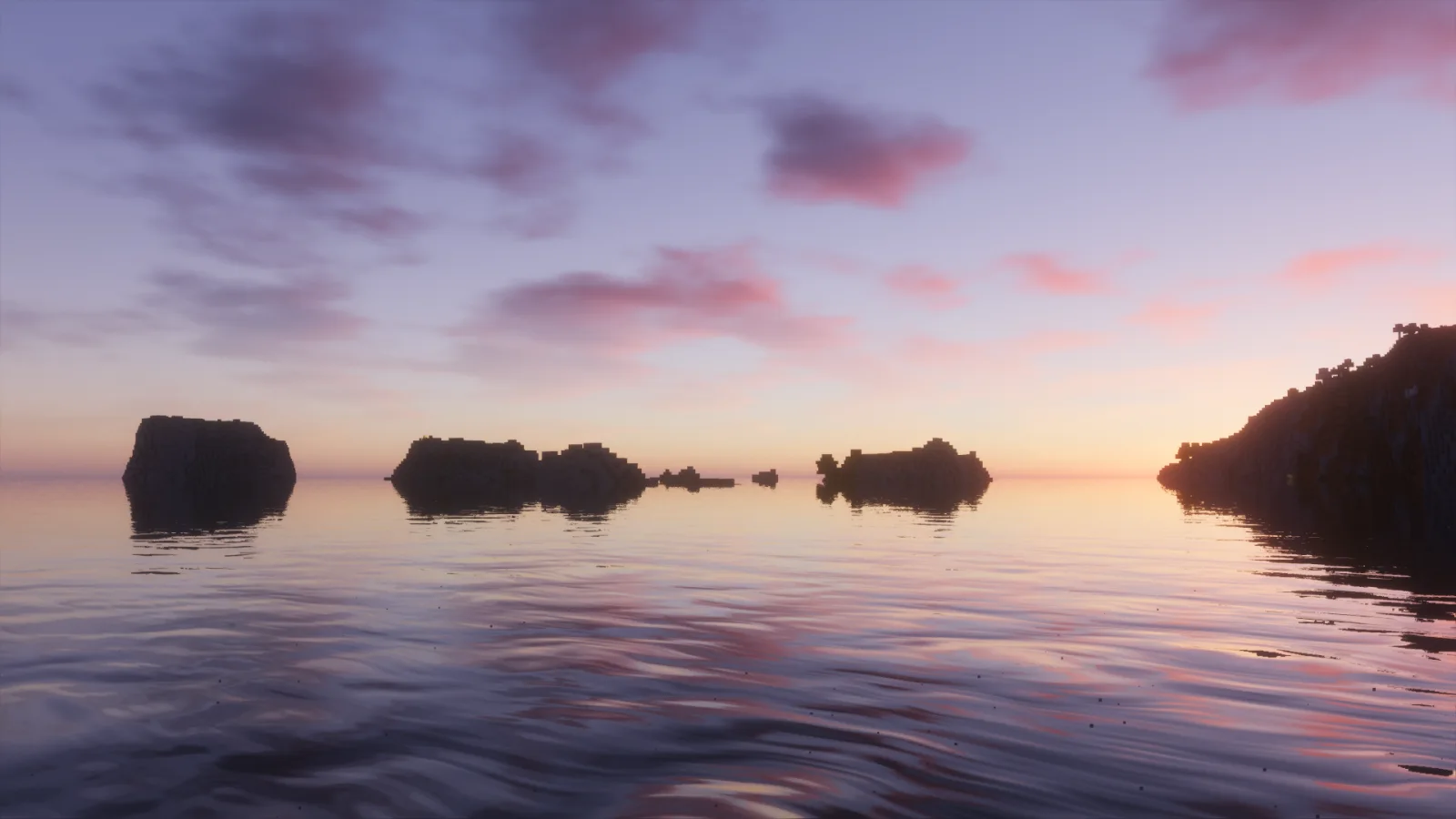
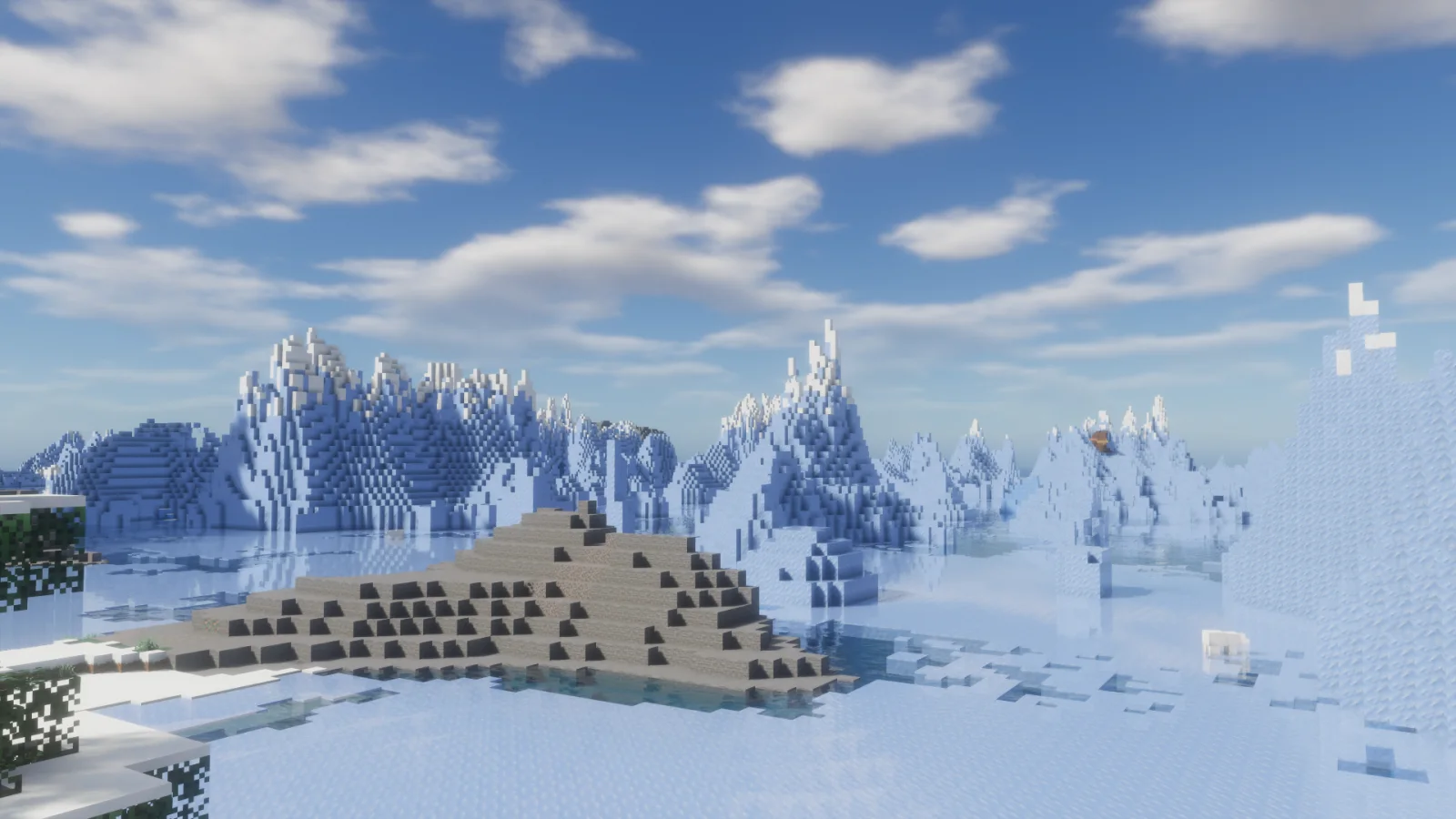
Forget-Me-Not Shaders is a shader pack made by ambrosia. Realistic shader pack for can-pipe with a focus on quality and immersion.
It supports Minecraft 1.18 – 1.20. It has been downloaded 66,998 times on Modrinth. The last update came out on Feb 3, 2024.
Forget-Me-Not Shaders has had 7 releases on Modrinth since Oct 22, 2022. None of them came out in the past year. The newest is v0.8.0, released on Feb 3, 2024. It is made for Minecraft 1.20.2. It runs on Canvas. The download is 625 KB.
| Version | Released | Minecraft | Type |
|---|---|---|---|
v0.8.0 | Feb 3, 2024 | 1.20.2 | Release |
v0.7.2 | Jul 15, 2023 | 1.19.2 – 1.20.1 | Release |
v0.7.1 | Jun 8, 2023 | 1.19.4, 1.20 | Release |
v0.7.0 | May 15, 2023 | 1.19.2, 1.19.3, 1.19.4 | Release |
v0.6.0 | Nov 29, 2022 | 1.19.2 | Release |
Forget-Me-Not Shaders is open source. Its newest release on GitHub is Forget-me-not Shaders v0.7.2, published on Jul 15, 2023.
Before that: Forget-me-not Shaders v0.7.1 (Jun 8, 2023), Forget-me-not Shaders v0.7.0 (May 20, 2023).
Forget-me-not is a semi-realistic pipeline shader for the Can-Pipe mod, with the goal of using a wide variety of visual effects for a diverse Minecraft experience.
Can-Pipe is a continuation of Canvas, a client-side renderer mod that uses shaders for advanced rendering. Its rendering system is entirely different from Optifine, Aperture, Iris, and Sodium; thus, it will not work with any of these mods.
See the how to use section for installation instructions.
If you're a developer or mod hoster, Forget-me-not is licensed under the LGPL v3.0, so please make sure to read over its terms if you use any of Forget-me-not's original code or distribute it.
Additionally, the only places Forget-me-not is officially released to are the GitHub and Modrinth pages. If you're finding Forget-me-not on a mod rehosting site like 9minecraft, it's much safer to just download it from the official (ad-free!) pages instead.
Note: You can also get in-development versions of Forget-me-not on GitHub! The easiest way is to git clone the repository into your resource pack folder directly, but you can also download the repository as a .zip file (in which case you'll have to extract it).
Forget-me-not wouldn't have gotten as far as it did without the support of various people across the Canvas and shaderLABS communities. Special thanks to:
Written by ambrosia. Read it with pictures on Modrinth.
Install Iris (with Sodium) or OptiFine for your Minecraft version: shaders need one of them.
Download the .zip file from Modrinth. Do not unzip it.
In Minecraft, open Options, then Video Settings, then Shader Packs, and click Open Shader Pack Folder.
Drop the .zip file into that folder, pick Forget-Me-Not Shaders in the list and click Done.
Shaders are heavy on the graphics card. If the game gets slow, pick a lower profile in the shader settings.
Full guide: How to install Minecraft shaders
| Resource | Downloads | Versions | Last update | Price |
|---|---|---|---|---|
| Forget-Me-Not Shadersthe one you looked at | 67K | 1.18 – 1.20 | Feb 3, 2024 | Free |
| CoffeeShadersGamesofDev | 11K | 1.20 – 26.x | Jul 2, 2026 | Free |
 Photon Shaderssixthsurge | 29.2M | 1.16 – 26.x | 24 days ago | Free |
 Luxora ShadersHoneyStudios | 7,662 | 1.21 | Mar 16, 2026 | Free |
Not yet. The newest version it supports is Minecraft 1.20.
Yes. Forget-Me-Not Shaders is free to download from Modrinth.
Yes. The last update came out in the past day.
The closest ones are CoffeeShaders, Photon Shaders and Luxora Shaders. Compare all alternatives
CoffeeShadersShaders · 1.20 – 26.xCoffee Shaders is a mid-quality shader pack designed to enhance your game with smooth, realistic shadows, adjustable settings for personalized control, and a…
Photon ShadersShaders · 1.16 – 26.xA gameplay-focused shader pack with a semi-realistic style
Luxora ShadersShaders · 1.21Warm toned shader pack with realistic lighting, golden sunsets, water reflections, and smooth performance.
 Samarium ShadersShaders · 1.21 – 26.x
Samarium Shaders is a custom, high-performance realistic shader pack built specifically for Minecraft Java Edition (supporting 1.21.11 and 26.2 using Fabric…
 Kappa ShaderShaders · 1.16 – 1.21
A high-quality realistic, yet also somewhat stylized shaderpack.
 Lux V1Shaders · 1.8 – 26.x
Lux is a high fidelity Minecraft: Java Edition shader pack based on Capt Tatsu's BSL Shaders.
Log in to leave a review.