
 AV ShadersShaders · 26.x
AV Shader (Advanced Vanilla) is a lightweight Iris shader pack built to elevate Minecraft's default aesthetics with modern lighting, dynamic sky visuals, and…
Free32 downloads
Lightweight modernised PSX Shaders.
Direct download from Modrinth · 36,531 downloads
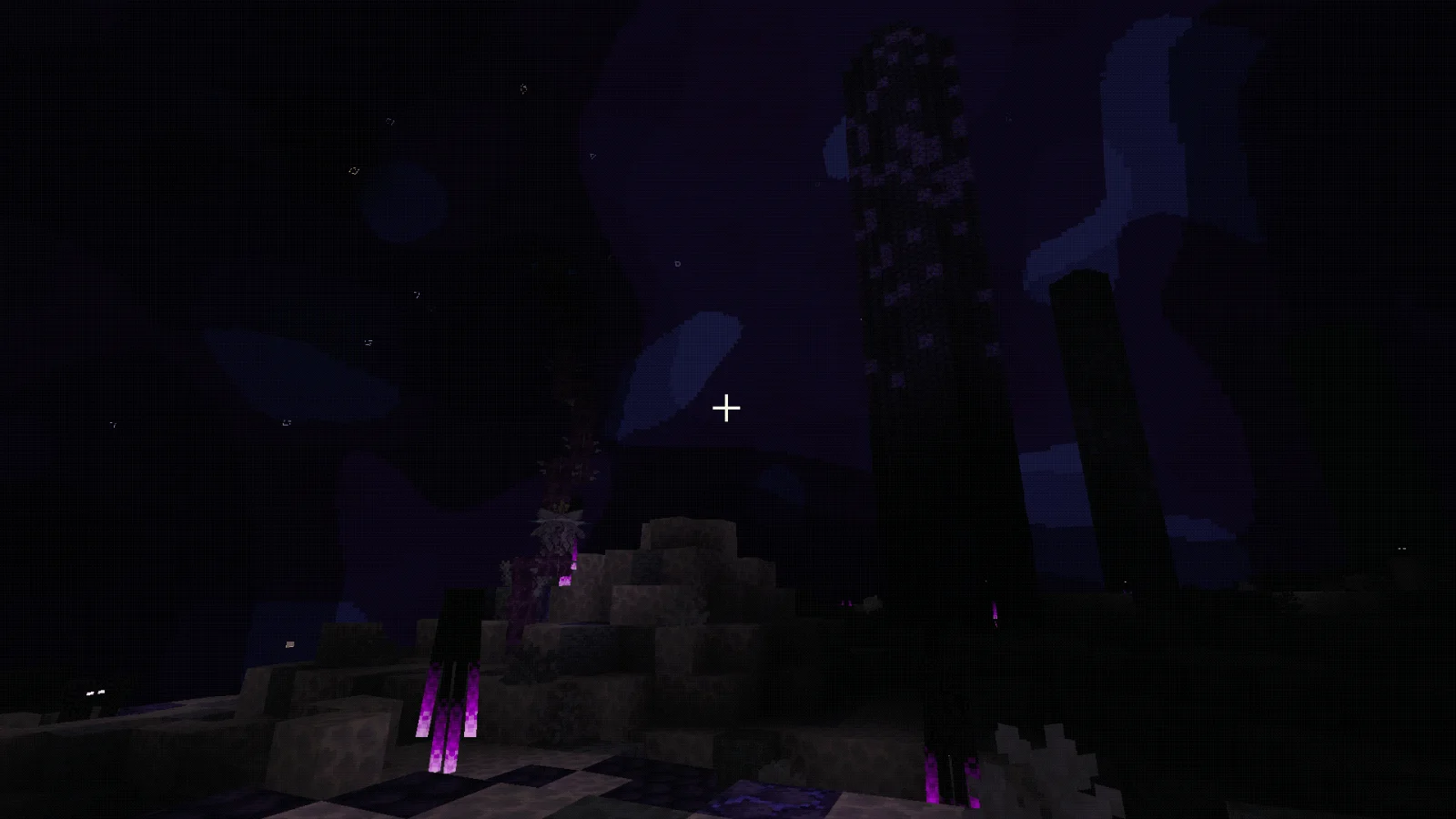
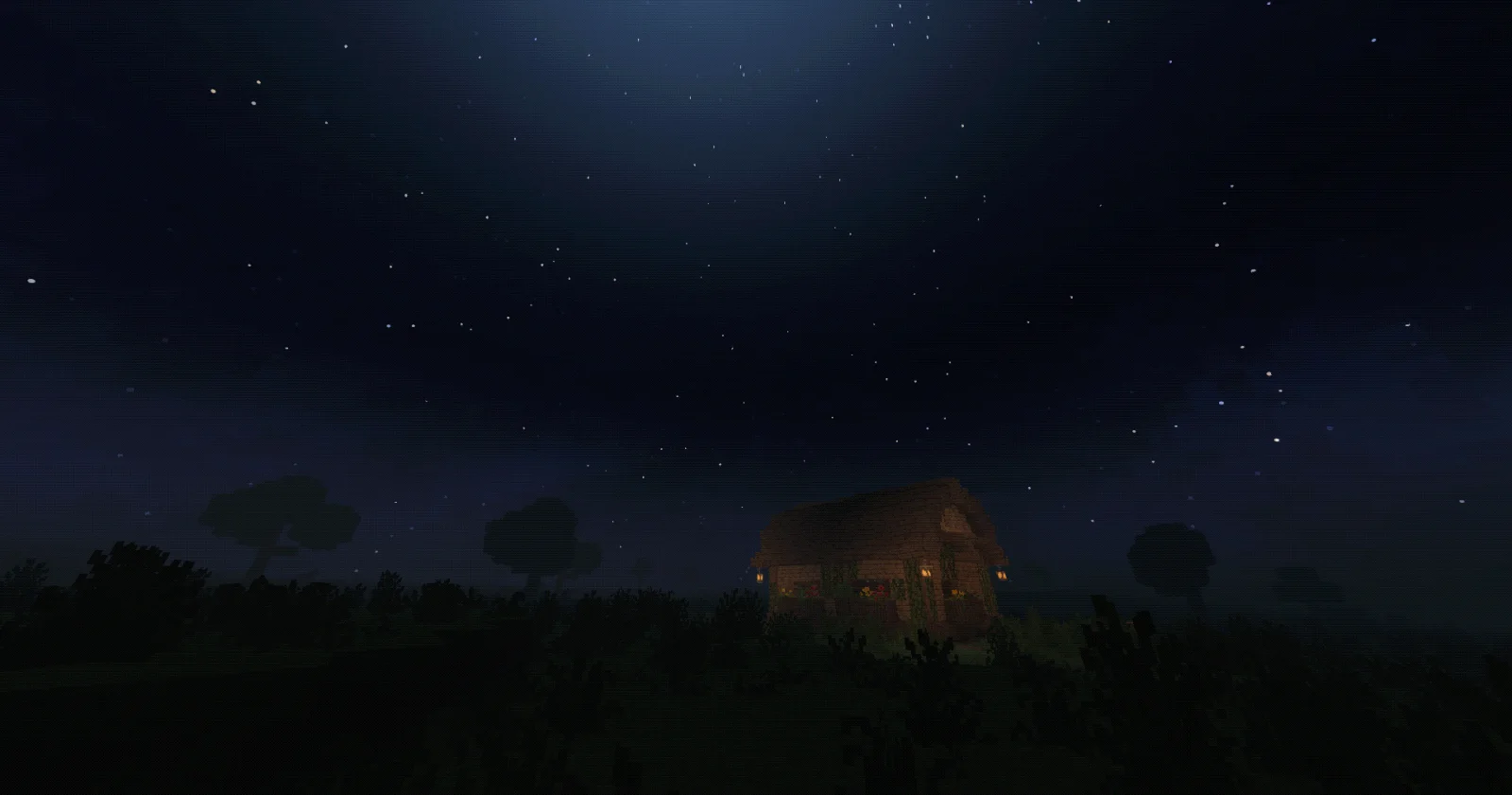
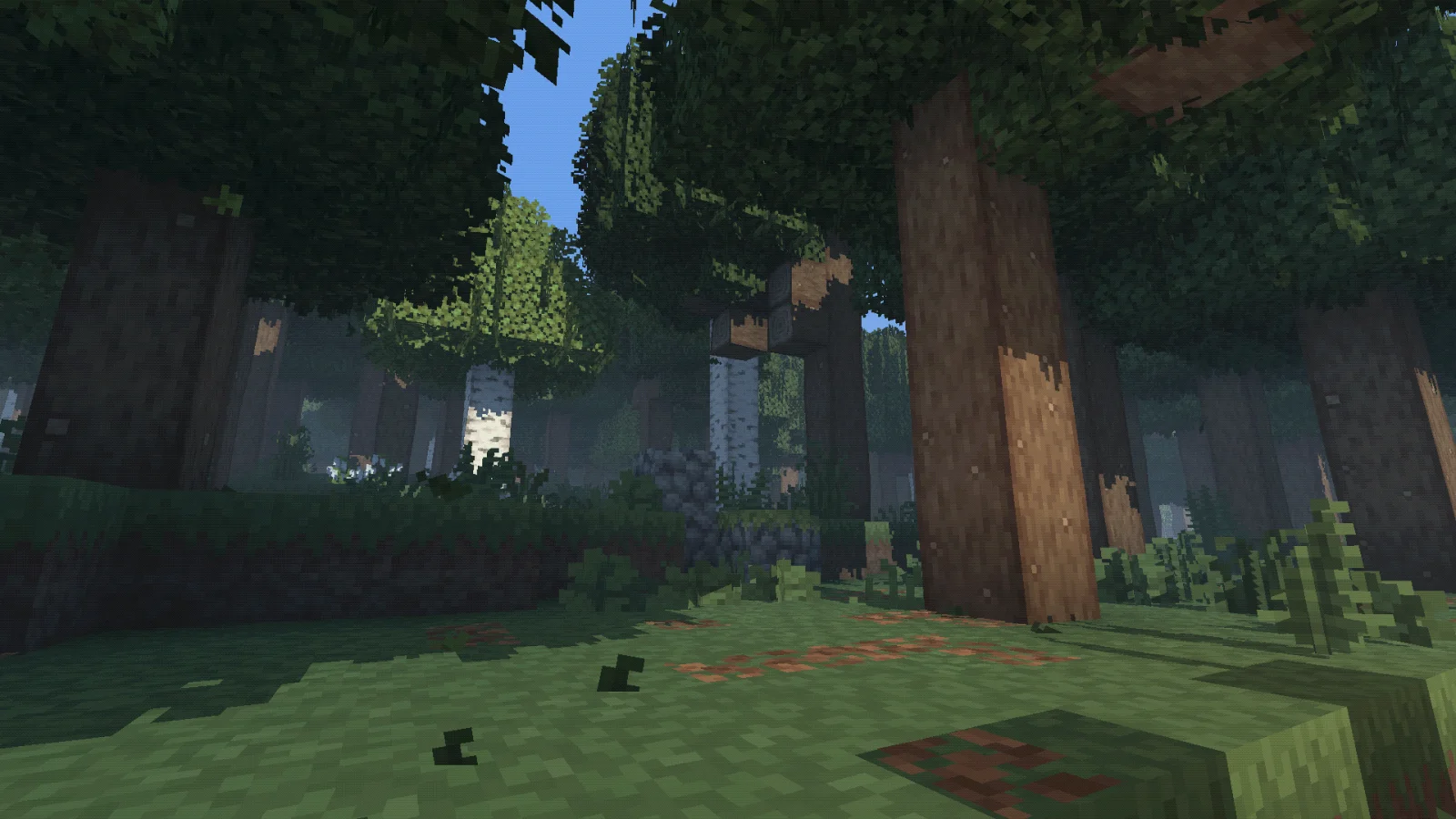
Modern PSX Shaders is a shader pack made by mrjonatellosr. Lightweight modernised PSX Shaders.
It supports Minecraft 1.19 – 26.x. It has been downloaded 36,531 times on Modrinth. The last update came out on Aug 16, 2026.
Modern PSX Shaders has had 25 releases on Modrinth since Jul 29, 2026. 25 of them came out in the past year. The newest is 0.23.58, released on Aug 16, 2026. It is made for Minecraft 1.19 – 26.2. It runs on Iris and Optifine. The download is 1.1 MB.
| Version | Released | Minecraft | Type |
|---|---|---|---|
0.23.58 | Aug 16, 2026 | 1.19 – 26.2 | Release |
0.23.54 | Aug 16, 2026 | 1.19 – 26.2 | Release |
0.23.50 | Aug 16, 2026 | 1.19 – 26.2 | Release |
0.23.49 | Aug 14, 2026 | 1.19 – 26.2 | Release |
0.23.44 | Aug 10, 2026 | 1.19 – 26.2 | Release |
Modernising the classic look.
Fixes for banners and such require the compatibility mod here: Modern PSX Shader Compat (currently in moderation review from modrinth but check back here to see if the link works at some point)
Modern PSX Shaders is a shader pack I originally made for myself, with plenty of assistance along the way debugging it and getting everything working properly.
It combines a slightly unstable PS1-inspired look with modern lighting and atmospheric effects, without being excessively demanding to run.
Most parts of the pack can be adjusted or disabled individually, including:
There are also three included profiles:
Profile · Intended use
Performance · Reduced shadow and volumetric costs for weaker hardware
Default · The intended balance of visuals and performance
Cinematic · Higher-quality shadows, longer distances, and stronger settings
In my testing, the Default profile is generally a little lighter to run than Complementary. If you can comfortably run that, you should hopefully be fine here as well.
If not, the Performance profile and individual settings give you plenty of room to scale things back.
Distant Horizons is supported, although its distant terrain can look a little unusual with vertex snapping enabled.
That is mostly an unavoidable side effect of combining extremely distant geometry with intentionally unstable, pixel-snapped rendering. You can reduce the distant snapping strength if it bothers you.
Personally, I turn the sun-shaft strength up because I like the extra atmosphere - but that one is entirely up to you.
This is still very much a personal shader pack, so there's a good chance it won't see many updates beyond what I'd like to do. Sorry! I might end up doing compatibility stuff if I see fit.
Written by mrjonatellosr. Read it with pictures on Modrinth.
Install Iris (with Sodium) or OptiFine for your Minecraft version: shaders need one of them.
Download the .zip file from Modrinth. Do not unzip it.
In Minecraft, open Options, then Video Settings, then Shader Packs, and click Open Shader Pack Folder.
Drop the .zip file into that folder, pick Modern PSX Shaders in the list and click Done.
Shaders are heavy on the graphics card. If the game gets slow, pick a lower profile in the shader settings.
Full guide: How to install Minecraft shaders
| Resource | Downloads | Versions | Last update | Price |
|---|---|---|---|---|
| Modern PSX Shadersthe one you looked at | 37K | 1.19 – 26.x | Aug 16, 2026 | Free |
| AV Shadersroxzygaming | 32 | 26.x | 9 days ago | Free |
 Potato ShadersRRe36 | 3.3M | 1.12 – 1.20 | Jun 13, 2023 | Free |
 RenderPearlLuracasmus | 1.4M | 1.19 – 26.x | Jul 21, 2026 | Free |
Yes. Modern PSX Shaders supports Minecraft 26.x. All supported versions: 26.x, 1.21, 1.20, 1.19.
Yes. Modern PSX Shaders is free to download from Modrinth.
Yes. The last update came out in the past day.
The closest ones are AV Shaders, Potato Shaders and RenderPearl. Compare all alternatives
AV ShadersShaders · 26.xAV Shader (Advanced Vanilla) is a lightweight Iris shader pack built to elevate Minecraft's default aesthetics with modern lighting, dynamic sky visuals, and…
Potato ShadersShaders · 1.12 – 1.20A very lightweight shaderpack that is still fancy in its own way.
RenderPearlShaders · 1.19 – 26.xClean, high performance shaders for modern hardware
 Builder's QOL ShadersShaders · 1.12 – 1.20
A lightweight shader pack designed to enhance the vanilla aesthetic.
 Sildur's Basic ShadersShaders · 1.8 – 26.x
Return of an old time favorite! Lightweight and Fast! Reworked and ported from enhanced default.
 Vanilish ShadersShaders · 1.8 – 1.21
A lightweight shader that adds a realistic, warm atmosphere and soft lighting to Minecraft while maintaining the vanilla style.
Log in to leave a review.