
 ReVespera Shader VXPTShaders · 1.21 – 26.x
This is a new shader project that is still under development. The shader is inspired by Eclipse shader, IterationRP. Shader was developed by a Vietnamese…
Free12,157 downloads
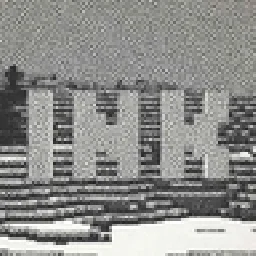
Visualizes Minecraft as if it was printed with ink!
Direct download from Modrinth · 18,481 downloads


Ink Shader is a shader pack made by BouncingElf10. Visualizes Minecraft as if it was printed with ink!
It supports Minecraft 1.16 – 1.21. It has been downloaded 18,481 times on Modrinth. The last update came out on May 22, 2025.
Ink Shader has had 2 releases on Modrinth since Dec 28, 2024. None of them came out in the past year. The newest is 1.1, released on May 22, 2025. It is made for Minecraft 1.16 – 1.21.4. It runs on Iris and Optifine. The download is 8.2 MB.
| Version | Released | Minecraft | Type |
|---|---|---|---|
1.1 | May 22, 2025 | 1.16 – 1.21.4 | Release |
1.0 | Dec 28, 2024 | 1.17 – 1.21.4 | Release |
Ink Shader is open source. Its newest release on GitHub is Ink Shader V1.1, published on May 22, 2025.
Fixed bug #1 where composite.fsh: composite.fsh: ERROR: 0:117: '!=' does not operate on 'vec4' and 'float'
Before that: Ink Shader 1.1-pre1 (Mar 18, 2025), Ink Shader V1.0 (Dec 28, 2024).
Current features include:
This shader was heavily inspired on Acerolas video and uses the paper asset that he uses
Written by BouncingElf10. Read it with pictures on Modrinth.
Install Iris (with Sodium) or OptiFine for your Minecraft version: shaders need one of them.
Download the .zip file from Modrinth. Do not unzip it.
In Minecraft, open Options, then Video Settings, then Shader Packs, and click Open Shader Pack Folder.
Drop the .zip file into that folder, pick Ink Shader in the list and click Done.
Shaders are heavy on the graphics card. If the game gets slow, pick a lower profile in the shader settings.
Full guide: How to install Minecraft shaders
Not yet. The newest version it supports is Minecraft 1.21.
Yes. Ink Shader is free to download from Modrinth.
Yes: Iris Shaders. Install it before Ink Shader.
Yes. The last update came out in the past day.
ReVespera Shader VXPTShaders · 1.21 – 26.xThis is a new shader project that is still under development. The shader is inspired by Eclipse shader, IterationRP. Shader was developed by a Vietnamese…
Log in to leave a review.