
 Lumenline ShadersShaders · 1.8 – 26.x
Warm golden-hour light that wraps every block: soft shadows, light shafts, glowing leaves. 6 quality levels.
Free180 downloads
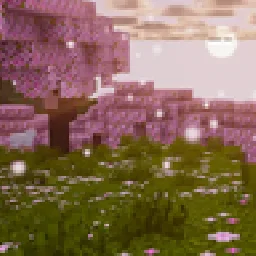
Warm, cinematic golden-hour shaders — soft PCSS shadows, global illumination, volumetric clouds, glowing ores, vibrant biome atmosphere.
Direct download from Modrinth · 7,952 downloads
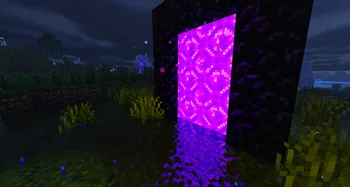


Aurelia Shaders is a shader pack made by jankrodev. Warm, cinematic golden-hour shaders — soft PCSS shadows, global illumination, volumetric clouds, glowing ores, vibrant biome atmosphere.
It supports Minecraft 1.21 – 26.x. It has been downloaded 7,952 times on Modrinth. The last update came out on Sep 29, 2026.
Aurelia Shaders has had 3 releases on Modrinth since Aug 6, 2026. 3 of them came out in the past year. The newest is 1.2.0, released on Sep 29, 2026. It is made for Minecraft 1.21 – 26.3. It runs on Iris and Optifine. The download is 90 KB.
| Version | Released | Minecraft | Type |
|---|---|---|---|
1.2.0 | Sep 29, 2026 | 1.21 – 26.3 | Release |
1.1.0 | Sep 8, 2026 | 1.21.10 – 26.2 | Release |
1.0.0 | Aug 6, 2026 | 1.21 – 26.2 | Release |
Golden hour, all the time.
Aurelia is an original shader pack with a warm, cinematic mood and a
vibrant palette — soft light, long shadows, and color that glows
without blowing out. Built from scratch, tuned by eye, and it runs on
both Iris and OptiFine.
stained glass
keeps interiors and cave mouths grounded
portals wash light onto the blocks around them
fog
caustics, teal depths, and regional water colors
PBR for vanilla blocks: reflective metals, polished stone, and
glowing ore veins (coal embers and Nether ores included)
falling petals, spores, blowing sand
soft bloom, TAA
four performance profiles
LOW on weaker hardware, ULTRA for screenshots
don't unzip it.
Iris or OptiFine? Both work. Iris is recommended: better
performance and full regional water detection (OptiFine gets a limited
version).
My FPS is low. Switch to the MEDIUM or LOW profile in the shader
options, or lower the shadow map resolution.
Does it work with resource packs? Yes — any pack. With a labPBR
pack you also get real normals, smoothness, and metals.
Can I use it in videos/screenshots? Yes, freely. Credit with a
link to this page is appreciated.
Can I reupload or bundle it? No — see the license. Link to this
page instead.
All rights reserved. Free to download, use, and modify for personal
use; no redistribution or reuploads. Full text in LICENSE.txt
inside the pack.
Written by jankrodev. Read it with pictures on Modrinth.
Install Iris (with Sodium) or OptiFine for your Minecraft version: shaders need one of them.
Download the .zip file from Modrinth. Do not unzip it.
In Minecraft, open Options, then Video Settings, then Shader Packs, and click Open Shader Pack Folder.
Drop the .zip file into that folder, pick Aurelia Shaders in the list and click Done.
Shaders are heavy on the graphics card. If the game gets slow, pick a lower profile in the shader settings.
Full guide: How to install Minecraft shaders
| Resource | Downloads | Versions | Last update | Price |
|---|---|---|---|---|
| Aurelia Shadersthe one you looked at | 7,952 | 1.21 – 26.x | Sep 29, 2026 | Free |
| Lumenline ShadersAstorUVZ | 180 | 1.8 – 26.x | 5 days ago | Free |
 Lomborebi ShaderspauschaL | 8,969 | 1.18 – 26.x | Oct 9, 2026 | Free |
 Phero VisualsDark_PixelForge | 8,812 | 1.16 – 26.x | 3 days ago | Free |
Yes. Aurelia Shaders supports Minecraft 26.x. All supported versions: 26.x, 1.21.
Yes. Aurelia Shaders is free to download from Modrinth.
Yes. The last update came out in the past day.
The closest ones are Lumenline Shaders, Lomborebi Shaders and Phero Visuals. Compare all alternatives
Lumenline ShadersShaders · 1.8 – 26.xWarm golden-hour light that wraps every block: soft shadows, light shafts, glowing leaves. 6 quality levels.
Lomborebi ShadersShaders · 1.18 – 26.xAn anime-inspired Minecraft shader pack featuring crisp cel-shaded block outlines, fluffy clouds, and glowing ores. It gives the game a vibrant, cozy…
Phero VisualsShaders · 1.16 – 26.xPhero Visuals Minecraft shader pack featuring vibrant lighting, realistic water, dynamic skies, soft shadows, cinematic atmosphere, and optimized performance…
 FS shadersShaders · 26.x
Cinematic shaders for Iris & OptiFine (1.21): physically-based scattering skies, soft sun/moon shadows, volumetric light, reflective water, waving foliage…
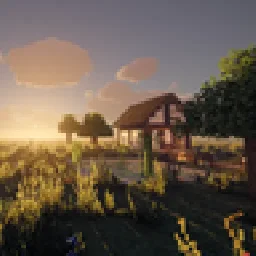 Medieval Realism ShadersShaders · 26.x
Grounded, period-film lighting for Minecraft 26.3: physically based sky, soft shadows, flickering firelight, morning mist, fluffy volumetric clouds, wet stone…
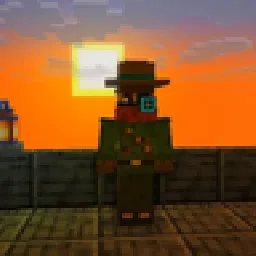 NoMod ShadersShaders · 26.x
Shaders for Minecraft Java 26.3 without mods: waving leaves and grass, golden sunsets, blue moonlight, warm torch light, glow and soft shadows. A resource…
Log in to leave a review.