
 PrincipalShaders · 1.16 – 26.x
Dynamic atmospheric Minecraft shader with cinematic skies, volumetric clouds, immersive lighting, and reactive weather.
Free7,971 downloads

Atmospheric lighting, skies, and natural landscapes.
Opens Modrinth · 6,335 downloads there


Atmospheric lighting, skies, and natural landscapes.
Aerial is a shader pack made by xsoras. It supports Minecraft 1.17 – 26.x. It has been downloaded 6,335 times on Modrinth. The last update came out on Sep 12, 2026.
Aerial has had 2 releases on Modrinth since Jul 2, 2026. 2 of them came out in the past year. The newest is 1.1, released on Sep 12, 2026. It is made for Minecraft 1.17 – 1.19.1. It runs on Iris and Optifine. The download is 32 KB.
| Version | Released | Minecraft | Type |
|---|---|---|---|
1.1 | Sep 12, 2026 | 1.17 – 1.19.1 | Release |
0.6 | Jul 2, 2026 | 1.17 – 26.2 | Release |
Where the sky becomes part of the world.
Aerial is a shader pack focused on atmosphere, depth, and natural lighting. Instead of dramatically changing Minecraft's art style, it aims to make familiar landscapes feel larger, calmer, and more believable. Distant mountains fade naturally into the horizon, clouds gain real presence in the sky, and sunlight carries a softer sense of direction throughout the world.
Whether you're exploring forests, building near the coast, or watching a storm roll across a plains biome, Aerial is designed to enhance the mood of the scene without overwhelming it.
A living sky.
The sky changes throughout the day with soft color transitions, atmospheric haze, and large cloud formations that feel connected to the world below. Sunrises are warm and subtle, while evenings gradually fade into deep blue nights filled with visible stars.
Natural lighting.
Sunlight feels softer and more grounded, helping terrain, vegetation, and structures stand out without excessive contrast. Bright areas remain vibrant while shadows retain detail instead of becoming completely black.
Volumetric clouds.
Clouds occupy physical space in the sky rather than appearing as flat layers overhead. Storms become darker and heavier, creating a stronger sense of weather and scale.
Enhanced water.
Rivers, lakes, and oceans respond to changing light conditions with reflections, depth coloration, and subtle underwater effects. Water remains clear and readable while feeling more dynamic than vanilla rendering.
Material-aware surfaces.
Compatible resource packs can take advantage of additional surface detail, allowing stone, wood, metals, and other materials to react more naturally to light.
Filmic presentation.
Exposure adapts smoothly when moving between bright and dark areas, helping caves, interiors, and outdoor environments feel more natural to explore.
Aerial is built around environmental storytelling rather than visual spectacle. The goal is not to make every frame look dramatic, but to make everyday moments in Minecraft feel more immersive.
Watching distant rain over an ocean, seeing sunlight break through clouds, or looking across a valley at sunset are the kinds of experiences this shader is designed to emphasize.
Aerial includes configurable options for:
Written by xsoras. Read it with pictures on Modrinth.
Install Iris (with Sodium) or OptiFine for your Minecraft version: shaders need one of them.
Download the .zip file from Modrinth. Do not unzip it.
In Minecraft, open Options, then Video Settings, then Shader Packs, and click Open Shader Pack Folder.
Drop the .zip file into that folder, pick Aerial in the list and click Done.
Shaders are heavy on the graphics card. If the game gets slow, pick a lower profile in the shader settings.
| Resource | Downloads | Versions | Last update | Price |
|---|---|---|---|---|
| Aerialthe one you looked at | 6,335 | 1.17 – 26.x | Sep 12, 2026 | Free |
| Principalxsoras | 7,971 | 1.16 – 26.x | Sep 12, 2026 | Free |
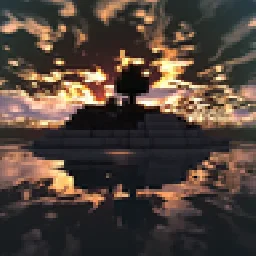 Windowpanebfvbvgyt | 366 | 1.20 – 26.x | 10 days ago | Free |
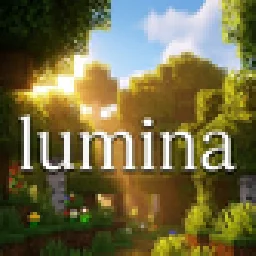 Lumina ShaderBenjiaa | 196K | 1.8 – 26.x | Sep 20, 2026 | Free |
Yes. Aerial supports Minecraft 26.x. All supported versions: 26.x, 1.21, 1.20, 1.19, 1.18, 1.17.
Yes. Aerial is free to download from Modrinth.
Yes. The last update came out in the past day.
The closest ones are Principal, Windowpane and Lumina Shader. Compare all alternatives
PrincipalShaders · 1.16 – 26.xDynamic atmospheric Minecraft shader with cinematic skies, volumetric clouds, immersive lighting, and reactive weather.
WindowpaneShaders · 1.20 – 26.xAtmospheric Minecraft shaders with reflective water, dramatic skies, and warm lighting—all while keeping Minecraft’s familiar blocky look. Currently in beta.
Lumina ShaderShaders · 1.8 – 26.xCinematic shaders for Minecraft Java featuring a black hole and white hole in the End, atmospheric lighting, volumetric clouds, water reflections and…
 Earth ShadersShaders · 1.20 – 26.x
A bright, realistic Minecraft scene showcasing smooth lighting, soft shadows, and clear water reflections, giving the world a calm and natural atmosphere.
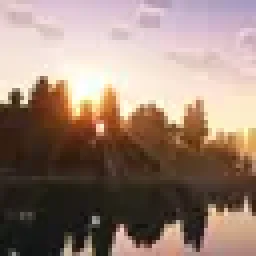 MaxRealstic ShaderShaders · 1.16 – 26.x
Ultra-realistic Minecraft shader with animated foliage, dynamic water, realistic lighting, cinematic skies, and optimized performance.
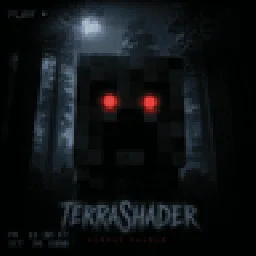 Zombie Horror ShaderShaders · 1.17 – 26.x
A desaturated, horror-themed shader pack for OptiFine and Iris. Features atmospheric film-grain night lighting and automatically makes the eyes of zombies…
Log in to leave a review.