
 Vanilla Plus ShaderShaders · 1.16 – 1.21
A shaderpack that gives Minecraft a modern visual overhaul while staying faithful to its original look.
Free2,756,638 downloads
Visual corruption and display degradation shader.
Opens Modrinth · 6,038 downloads there

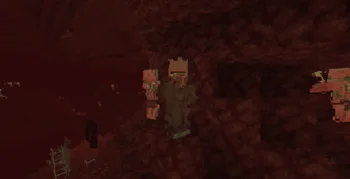
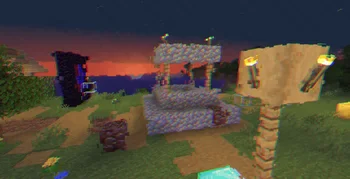
Visual corruption and display degradation shader.
Cripe is a shader pack made by xsoras. It supports Minecraft 1.8 – 26.x. It has been downloaded 6,038 times on Modrinth. The last update came out on Sep 12, 2026.
Cripe has had 2 releases on Modrinth since Jun 1, 2026. 2 of them came out in the past year. The newest is 1.1, released on Sep 12, 2026. It is made for Minecraft 1.10 – 1.14. It runs on Iris and Optifine. The download is 5 KB.
| Version | Released | Minecraft | Type |
|---|---|---|---|
1.1 | Sep 12, 2026 | 1.10 – 1.14 | Release |
1.0 | Jun 1, 2026 | 1.10 – 1.20.3 | Release |
A world that looks slightly broken, unstable, and fading away.
Cripe is a lightweight post-processing shader designed around visual corruption effects rather than realistic lighting. Instead of altering Minecraft's world rendering pipeline, it applies a series of screen-space distortions that make the image appear unstable, degraded, and intermittently damaged. The shader combines chromatic separation, block-based corruption artifacts, temporal ghosting, scanline interference, and subtle film-like degradation to create an unsettling visual atmosphere while remaining technically simple and inexpensive to render.
Screen-Space Corruption Distortion.
The image is divided into a coarse screen-space grid where individual regions can become offset independently. This creates the appearance of corrupted video memory, damaged rendering data, or unstable frame reconstruction. The effect changes over time using a pseudo-random pattern, producing intermittent visual artifacts rather than constant distortion.
Chromatic Channel Separation.
Red, green, and blue color channels are sampled with independent offsets and animated over time. This produces subtle color fringing and channel drift that reinforces the feeling of a failing display signal without completely obscuring the scene.
Geometry Melt Illusion.
A low-amplitude animated screen-space jitter is applied before sampling the image. Although world geometry itself is unchanged, the resulting distortion gives the impression that the rendered image is slowly shifting and deforming.
Scanline Interference Bursts.
Animated scanlines can appear in periodic bursts across the screen. Rather than being permanently visible, they are introduced conditionally using a pseudo-random trigger, creating moments of intensified visual instability.
Temporal Ghosting.
A secondary offset sample of the previous image position is blended into the current frame. This produces a faint trailing effect that resembles persistence, afterimages, or display ghosting.
Subtle Flicker and Image Instability.
Brightness is continuously modulated using a high-frequency oscillation. The effect remains restrained but contributes to the overall sensation of an unreliable display.
Film-Like Noise Layer.
A small amount of per-pixel procedural noise is added during the final pass. This prevents completely clean gradients and helps unify the shader's degraded visual style.
Lightweight Multi-Pass Processing.
The shader uses only a small number of fullscreen post-processing passes and simple procedural functions. No complex lighting, shadow, atmospheric, or volumetric systems are involved, keeping performance overhead minimal.
Written by xsoras. Read it with pictures on Modrinth.
Install Iris (with Sodium) or OptiFine for your Minecraft version: shaders need one of them.
Download the .zip file from Modrinth. Do not unzip it.
In Minecraft, open Options, then Video Settings, then Shader Packs, and click Open Shader Pack Folder.
Drop the .zip file into that folder, pick Cripe in the list and click Done.
Shaders are heavy on the graphics card. If the game gets slow, pick a lower profile in the shader settings.
| Resource | Downloads | Versions | Last update | Price |
|---|---|---|---|---|
| Cripethe one you looked at | 6,038 | 1.8 – 26.x | Sep 12, 2026 | Free |
| Vanilla Plus ShaderRRe36 | 2.8M | 1.16 – 1.21 | Feb 28, 2025 | Free |
 Stracciatella ShadersDrDesten | 177K | 1.8 – 1.21 | Feb 10, 2026 | Free |
 Ancient Dreamlanzhan5656 | 30K | 1.12 – 1.21 | Oct 7, 2025 | Free |
Yes. Cripe supports Minecraft 26.x. All supported versions: 26.x, 1.21, 1.20, 1.19, 1.18, 1.17, 1.16, 1.13, 1.12, 1.8.
Yes. Cripe is free to download from Modrinth.
Yes. The last update came out in the past day.
The closest ones are Vanilla Plus Shader, Stracciatella Shaders and Ancient Dream. Compare all alternatives
Vanilla Plus ShaderShaders · 1.16 – 1.21A shaderpack that gives Minecraft a modern visual overhaul while staying faithful to its original look.
Stracciatella ShadersShaders · 1.8 – 1.21A vanilla-style shader with colored lights, many quality of life features and visual improvements aiming for the highest performance.
Ancient DreamShaders · 1.12 – 1.21A lightweight horror-themed shader that adds visual effects without compromising gameplay and performance.
 CrucifyShaders · 1.17 – 26.x
A horrifying shader pack that will destroy your sanity with nauseating visual effects, disturbing distortions, and psychedelic colors. Use at your own risk!
 tuvefe aura warp liminalShaders · 1.16 – 26.x
Experimental shader that distorts the world with noise, creating a surreal and atmospheric visual effect. Compatible with Iris and OptiFine.
 I Am Not OkayShaders · 1.8 – 26.x
Dynamic intoxication visual effects shader.
Log in to leave a review.