
 Pyvtron VXShaders · 1.16 – 1.21
Pyvtron VX is a shader that adds realism into your world!
Free121,713 downloads
This shader adds a simple customizable world outline, inspired by Complementary's one.
Direct download from Modrinth · 5,648 downloads
World Outline is a shader pack made by Nemyx. This shader adds a simple customizable world outline, inspired by Complementary's one.
It supports Minecraft 1.8 – 1.21. It has been downloaded 5,648 times on Modrinth. The last update came out on May 16, 2026.
The newest is 1.0, released on May 16, 2026. It is made for Minecraft 1.10 – 1.20.3. It runs on Iris and Optifine. The download is 12 KB.
| Version | Released | Minecraft | Type |
|---|---|---|---|
1.0 | May 16, 2026 | 1.10 – 1.20.3 | Release |
World Outline is a lightweight shader that barely changes the vanilla style, but adds outlines to it, just like the option in Complementary Shaders.
This is great for thumbnails, or simply if you like the look of it.
You can customize the look of the outlines in the settings (brightness, thickness, etc.).
Q: Is this pack compatible with OptiFine?
A: Yes, this pack is compatible with Iris and OptiFine.
Q: Is this pack compatible with all Minecraft versions?
A: World Outline is compatible with most Minecraft versions (1.8–1.21).
Q: Does World Outline affect entities?
A: World Outline adds outlines to blocks and entities, including players.
Written by Nemyx. Read it with pictures on Modrinth.
Install Iris (with Sodium) or OptiFine for your Minecraft version: shaders need one of them.
Download the .zip file from Modrinth. Do not unzip it.
In Minecraft, open Options, then Video Settings, then Shader Packs, and click Open Shader Pack Folder.
Drop the .zip file into that folder, pick World Outline in the list and click Done.
Shaders are heavy on the graphics card. If the game gets slow, pick a lower profile in the shader settings.
Full guide: How to install Minecraft shaders
| Resource | Downloads | Versions | Last update | Price |
|---|---|---|---|---|
| World Outlinethe one you looked at | 5,648 | 1.8 – 1.21 | May 16, 2026 | Free |
| Pyvtron VXPyvton | 122K | 1.16 – 1.21 | Jan 24, 2026 | Free |
 Round WorldGhouldubs | 7,258 | 1.21 | Jan 24, 2025 | Free |
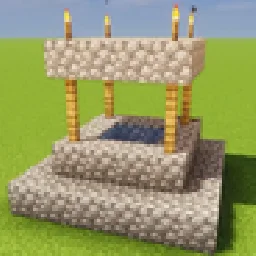 GlamorousSP ShadersMelmonTheLemon | 4,854 | 1.21 – 26.x | Jun 19, 2026 | Free |
Not yet. The newest version it supports is Minecraft 1.21.
Yes. World Outline is free to download from Modrinth.
Yes. The last update came out in the past day.
The closest ones are Pyvtron VX, Round World and GlamorousSP Shaders. Compare all alternatives
Pyvtron VXShaders · 1.16 – 1.21Pyvtron VX is a shader that adds realism into your world!
Round WorldShaders · 1.21A simple Shader that adds a slight visual curve to the world and darkens the lighting
GlamorousSP ShadersShaders · 1.21 – 26.xA vibrant and customizable shader pack focused on beautiful lighting, rich colors, and smooth performance. GlamorousSP is inspired from Mellow Shader by TheCMK.
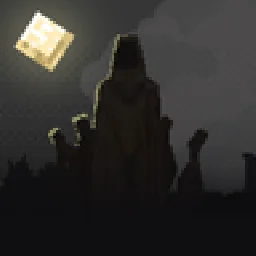 Hysteria ShadersShaders · 1.8 – 1.21
Atmospheric, highly customizable horror shaderpack, successor of Insanity Shader.
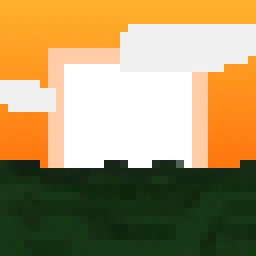 Blocky ShaderShaders · 1.19 – 26.x
A performant vanilla-inspired shader for Minecraft Java
 Simple Saturation ShaderShaders · 1.20 – 26.x
Adds a simple slider which allows you to change saturation
Log in to leave a review.