
A shaderpack for Iris that accurately recreates the vanilla look
Free4,333 downloads
An Iris shader pack for Minecraft that recreates the look of late-90s MS-DOS 3D graphics with deliberate retro accuracy.
Direct download from Modrinth · 4,247 downloads
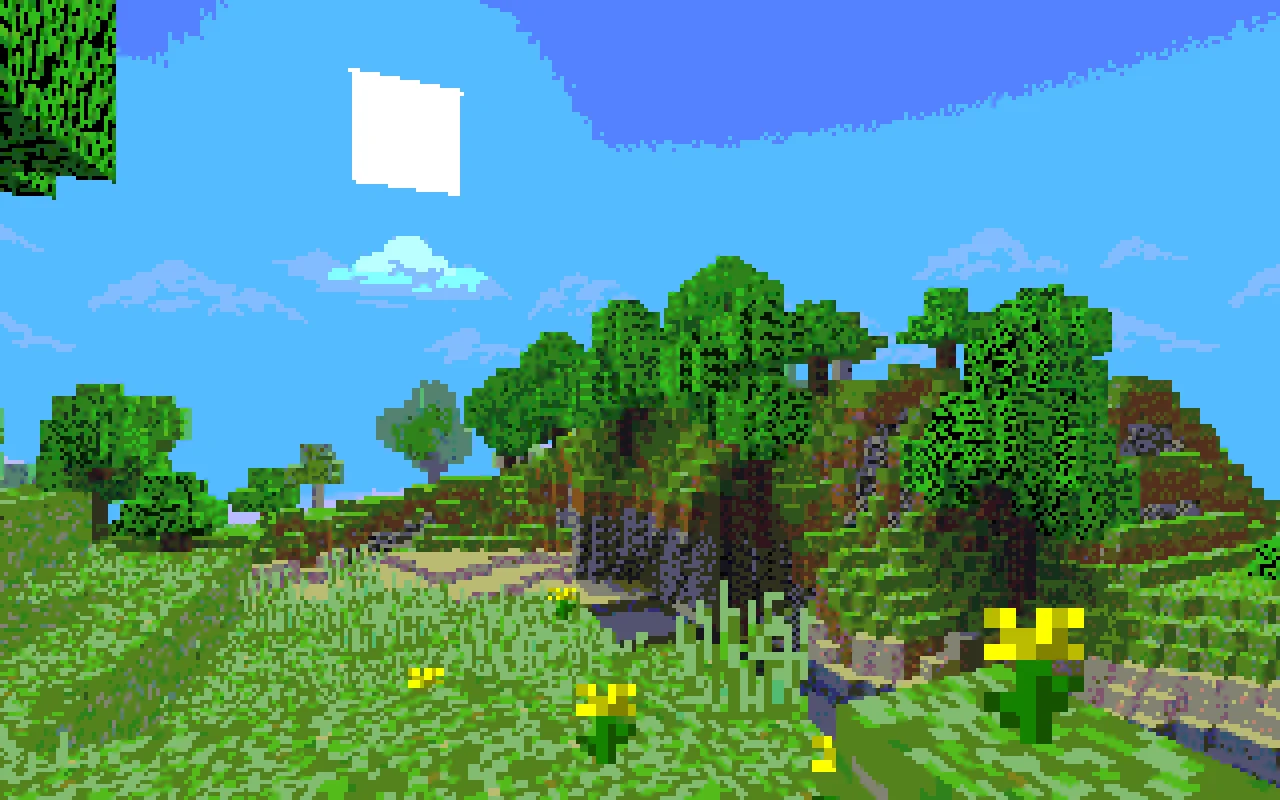
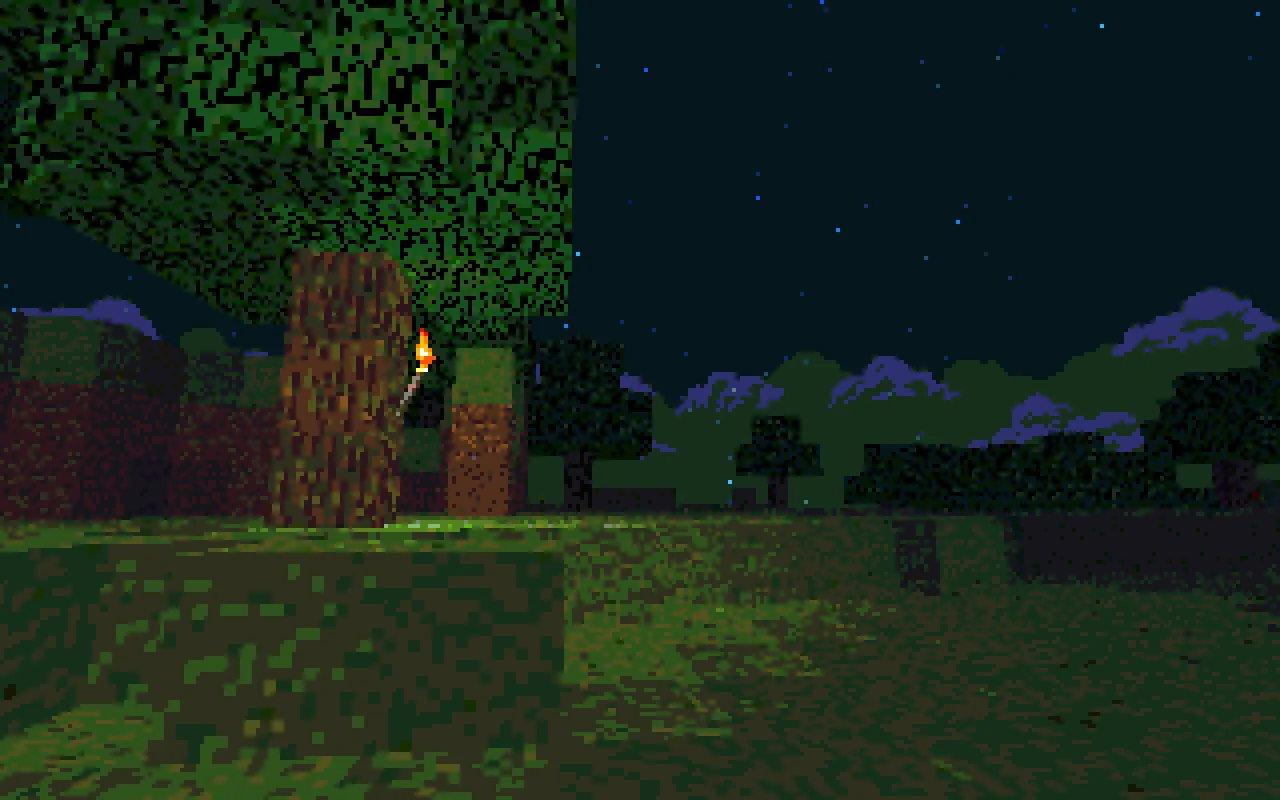
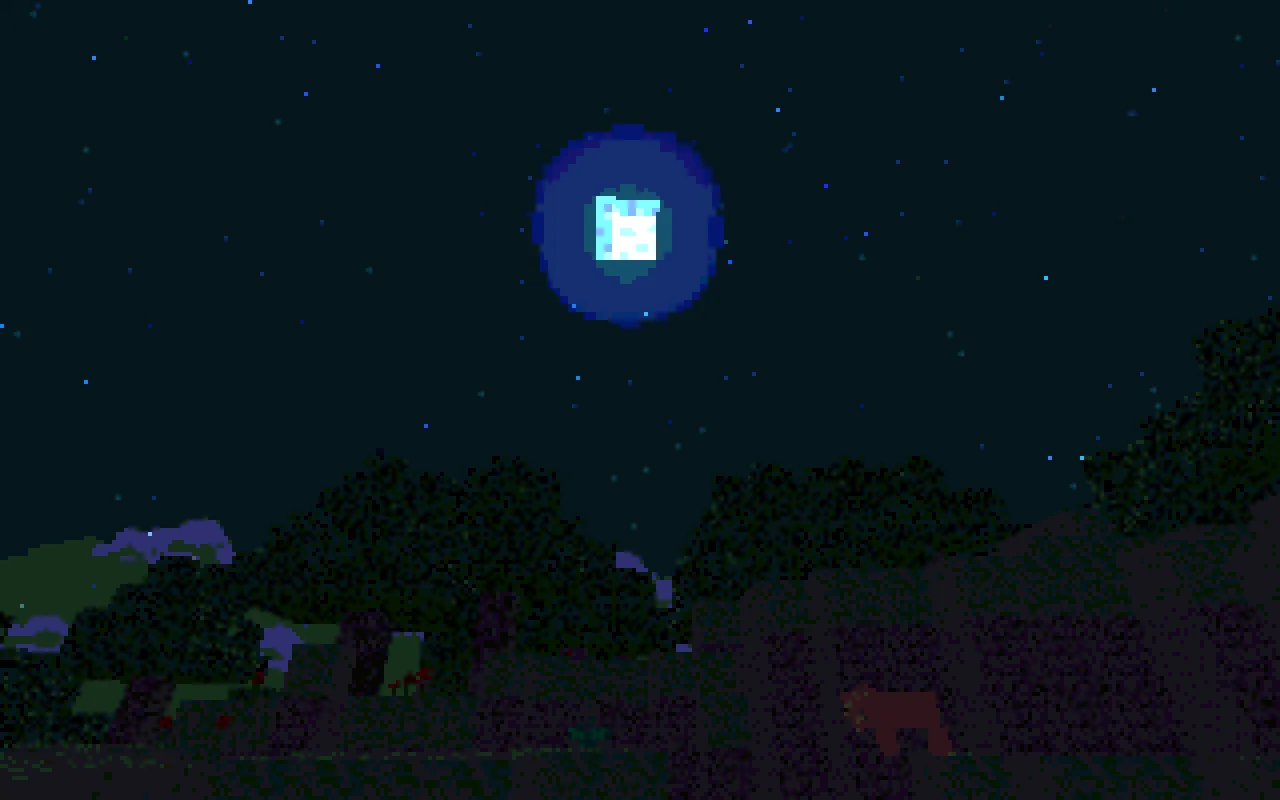
Mode 13h: MS-DOSify is a shader pack made by HandLock_. An Iris shader pack for Minecraft that recreates the look of late-90s MS-DOS 3D graphics with deliberate retro accuracy.
It supports Minecraft 1.20 – 26.x. It has been downloaded 4,247 times on Modrinth. The last update came out on Oct 1, 2026.
Mode 13h: MS-DOSify has had 11 releases on Modrinth since Mar 15, 2026. 11 of them came out in the past year. The newest is 3.1.0, released on Oct 1, 2026. It is made for Minecraft 1.20 – 26.3. It runs on Iris. The download is 109 KB.
| Version | Released | Minecraft | Type |
|---|---|---|---|
3.1.0 | Oct 1, 2026 | 1.20 – 26.3 | Release |
3.0.0 | Oct 1, 2026 | 1.20 – 26.3 | Release |
2.2.0 | Oct 1, 2026 | 1.20 – 26.3 | Release |
2.1.2 | Sep 29, 2026 | 1.20 – 26.3 | Release |
2.1.1 | Sep 29, 2026 | 1.20 – 26.3 | Release |
Mode 13h: MS-DOSify is open source. Its newest release on GitHub is 3.1.0, published on Oct 1, 2026.
hanging mangrove propagules keep Golden Days' look.
one on its own.
Before that: 3.0.0 (Oct 1, 2026), 2.2.0 (Oct 1, 2026).
An Iris shader pack for Minecraft that recreates the look of late-90s MS-DOS 3D graphics with deliberate retro accuracy.
Mode 13h: MS-DOSify! is not just a generic “pixelation” shader. It aims to reproduce the actual visual limitations and quirks that gave old DOS-era 3D games their unmistakable look: low resolution, wobbly software texture mapping, a fixed 256-color palette, colormap lighting, billboarded sprites, and vanilla-accurate fog.
It supports the long-term Minecraft versions 1.20.1, 1.21.1 and 1.21.11 with Iris or Oculus; every release is tested on all three. 26.x and other versions are best-effort.
Recommended render resolution: 1280 x 800
The shader pack is designed to downscale by 4x to an internal 320 x 200 image, matching classic Mode 13h output.
For the most authentic look, stretch the final image to 4:3 to reproduce the era’s non-square pixels.
A lot of “retro” shaders stop at chunky pixels and call it a day.
Mode 13h goes further. It tries to recreate the specific rendering artifacts that defined old DOS-era 3D, including the quirks modern graphics usually try to hide or eliminate. The goal is not just to look old — it is to feel like an actual late-90s PC pushing textured 3D slightly beyond its comfort zone.
The shader includes a configuration menu with several options so you can fine-tune the effect to your taste.
You can adjust things such as:
Mode 13h also has optional companion add-ons that expand the billboarding system.
Important: Add-ons are not included with the shader pack. They must be downloaded separately.
**Flatter Signs** is a mod that changes signs into cross/hatch models, allowing Mode 13h to billboard them like flowers or grass.
Without the shader pack, those signs simply render as flat cross/hatch objects. With Mode 13h enabled, they become proper DOS-style billboarded signs.
**Billy Boarding** is a resource pack that changes the .json block models of selected blocks so they become cross/hatch-based and therefore compatible with the shader’s billboarding system.
It covers cakes and candle cakes, flower pots and potted plants, anvils, bells, brewing stands, cactus, crops and fire.
If you install these add-ons, you can enable or disable their dedicated support from the shader configuration screen.
For the best overall presentation, it is recommended to pair Mode 13h with a stylized skybox.
At the moment, the recommended choice is **Better Sky**. It uses the OptiFine sky format, so it needs the mods **Nuit** and **Nuit Interop**.
A bespoke skybox made specifically for Mode 13h may come in the future.
Mode 13h intentionally embraces visual instability, harsh quantization, and awkward old rendering tricks — because that is the whole point.
Sodium draws clouds with its own renderer, which Iris skips, so clouds are missing with every shader pack on 1.21.1. This is not a Mode 13h bug.
To fix it, open your instance folder and add this line to config/sodium-mixins.properties (create the file if it doesn't exist), then restart the game:
mixin.features.render.world.clouds=false
Vanilla clouds then render through the shader.
Clouds fade out at Video Settings → Cloud Distance. Shaders can't read that setting, so set Shader options → Fog → Cloud Distance to the same number of chunks. The default, 128, is vanilla's default.
Before 1.21.6, clouds fog at the render distance like terrain, and the option does nothing.
This is an Iris bug on 26.2 and happens with every shader pack (Iris #3348). Hotbar and inventory items are drawn after the world with vanilla's own shaders, so no shader pack code runs on them and Mode 13h can't fix it. It goes away when Iris fixes it.
Licensed under AGPL-3.0-or-later.
See AGENTS.md.
“If the textures don’t wobble, it’s not old enough.”
Written by HandLock_. Read it with pictures on Modrinth.
Install Iris (with Sodium) or OptiFine for your Minecraft version: shaders need one of them.
Download the .zip file from Modrinth. Do not unzip it.
In Minecraft, open Options, then Video Settings, then Shader Packs, and click Open Shader Pack Folder.
Drop the .zip file into that folder, pick Mode 13h: MS-DOSify in the list and click Done.
Shaders are heavy on the graphics card. If the game gets slow, pick a lower profile in the shader settings.
Full guide: How to install Minecraft shaders
| Resource | Downloads | Versions | Last update | Price |
|---|---|---|---|---|
| Mode 13h: MS-DOSifythe one you looked at | 4,247 | 1.20 – 26.x | Oct 1, 2026 | Free |
| Base-ShaderBestsoft100 | 4,333 | 1.21 | May 11, 2025 | Free |
 Super Duper VanillaEldeston | 8.3M | 1.13 – 1.21 | Jul 8, 2025 | Free |
 ReverieTheCMK | 439K | 1.20 – 26.x | Oct 4, 2026 | Free |
Yes. Mode 13h: MS-DOSify supports Minecraft 26.x. All supported versions: 26.x, 1.21, 1.20.
Yes. Mode 13h: MS-DOSify is free to download from Modrinth.
Yes. The last update came out in the past day.
The closest ones are Base-Shader, Super Duper Vanilla and Reverie. Compare all alternatives
A shaderpack for Iris that accurately recreates the vanilla look
Super Duper VanillaShaders · 1.13 – 1.21A shader pack created to convey the style of the cancelled Super Duper Graphics Pack and other popular Minecraft titles.
ReverieShaders · 1.20 – 26.xShader with a foggy and warm look. It leverages new features added by Iris for effects previously impossible to achieve.
 Vanilletix ShadersShaders · 1.13 – 26.x
A shader pack that is created to improve the graphics of your game, leaving it in vanilla style
 CRT ShaderShaders · 1.8 – 26.x
A stylized shader aimed to make your game look retro!
 Comic ShadersShaders · 1.12 – 1.21
A shader pack that emulates the look of classic comic books.
Log in to leave a review.