
 Ore VisibleTexture packs · 1.8 – 26.x
A resource pack that makes spotting ores in dark caves much easier.
Free199,838 downloads
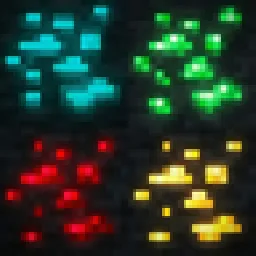
This pack makes it easier and faster to spot ores while mining, especially in dark caves.
Direct download from Modrinth · 121,960 downloads

Ores Aura is a texture pack made by Hicham. This pack makes it easier and faster to spot ores while mining, especially in dark caves.
It supports Minecraft 1.20 – 26.x. It has been downloaded 121,960 times on Modrinth. The last update came out on Sep 20, 2026.
Ores Aura has had 14 releases on Modrinth since Jun 13, 2025. 8 of them came out in the past year. The newest is 1.9, released on Sep 20, 2026. It is made for Minecraft 1.21 – 26.3. It runs on Minecraft. The download is 617 KB.
| Version | Released | Minecraft | Type |
|---|---|---|---|
1.9 | Sep 20, 2026 | 1.21 – 26.3 | Release |
1.8 | Jun 16, 2026 | 1.20 – 26.2 | Release |
1.8 | Mar 25, 2026 | 26.1, 26.1.1, 26.1.2 | Release |
1.8 | Mar 17, 2026 | 1.20 – 1.21.11 | Release |
1.7 | Jan 23, 2026 | 1.20 – 1.20.6 | Release |
Aura Ores is a resource pack that adds an emissive glow to ores. It keeps the standard Vanilla textures but makes them visible in the dark, making mining easier without needing to place torches everywhere.
Important: For the ores to glow, you must install a mod that supports connected/emissive textures. Without these, the pack will look like default Minecraft.
Mod Loader · Requirement
Fabric · Continuity (Recommended) or OptiFabric
Forge / Neo · OptiFine
Note: If using Continuity, make sure "Emissive Textures" is enabled in the resource pack settings.
Feature · Description
High Visibility · Spot Diamonds, Gold, and Iron easily in the dark.
Vanilla Style · Retains the original ore textures; only the colored parts glow.
Lightweight · Simple texture changes with minimal performance impact.
If you find Aura Ores useful, check out my utility mods:
Mod Name · Description
FPS Overlay · A lightweight, customizable FPS counter.
Elytra End · End style elytra
Right Click Harvest · Harvest crops instantly just by right-clicking.
Tools Durability · Warns you before your tools break.
Biome Notifier · Shows the biome name when you enter a new area.
How to Install (Click to Expand)
Written by Hicham. Read it with pictures on Modrinth.
Download the .zip file from Modrinth. Do not unzip it.
In Minecraft, open Options, then Resource Packs, then Open Pack Folder.
Drop the .zip file into that folder and go back to the game.
Move Ores Aura to the right-hand list and click Done.
It is made for Minecraft 1.20 – 26.x. On other versions Minecraft marks it as incompatible, but it often still works.
Full guide: How to install Minecraft resource packs
| Resource | Downloads | Versions | Last update | Price |
|---|---|---|---|---|
| Ores Aurathe one you looked at | 122K | 1.20 – 26.x | Sep 20, 2026 | Free |
| Ore VisibleScroutop | 200K | 1.8 – 26.x | Jan 26, 2026 | Free |
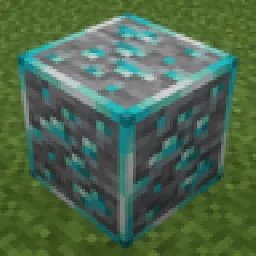 Glowing OresArgon_Asia | 18 | 1.18 – 1.20 | 6 days ago | Free |
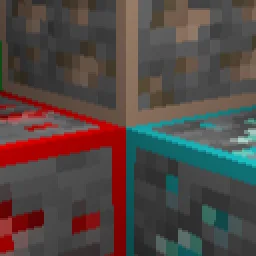 Simple Outlined OresMKD | 122K | 1.12 – 26.x | Sep 30, 2026 | Free |
Yes. Ores Aura supports Minecraft 26.x. All supported versions: 26.x, 1.21, 1.20.
Yes. Ores Aura is free to download from Modrinth.
Yes: Continuity. Install it before Ores Aura.
Yes. The last update came out in the past day.
The closest ones are Ore Visible, Glowing Ores and Simple Outlined Ores. Compare all alternatives
Ore VisibleTexture packs · 1.8 – 26.xA resource pack that makes spotting ores in dark caves much easier.
Glowing OresTexture packs · 1.18 – 1.20Vanilla-style 16x glowing ores with emissive highlights textures for easier mining in dark caves.
Simple Outlined OresTexture packs · 1.12 – 26.xA simple texture pack that outlines ores and increases visibility when mining. For versions 26.x-1.9 and all the versions in-between!
 Default Dark ModeTexture packs · 1.8 – 26.x
🌙 The Dark Mode Resource Pack for Minecraft: Java Edition
 Glowing Emissive OresTexture packs · 1.16 – 26.x
Adds emissive ore textures to 314 mods and vanilla, no other resource pack supports as many! Updates add additional mod support, requests are welcome :)
 Better Ores 3DTexture packs · 1.17 – 26.x
This resource pack allows you to have 3D and glowing ores.
Log in to leave a review.