
 Aurelia ShaderShaders · 1.20 – 26.x
A cinematic Iris shader for Minecraft with volumetric clouds, realistic animated water with reflections, god rays, bloom, circular sun and moon, and a green…
Free311 downloads
My first 'okay' shader pack for Iris, with god rays, bloom, colored light & more!
Direct download from Modrinth · 1 downloads
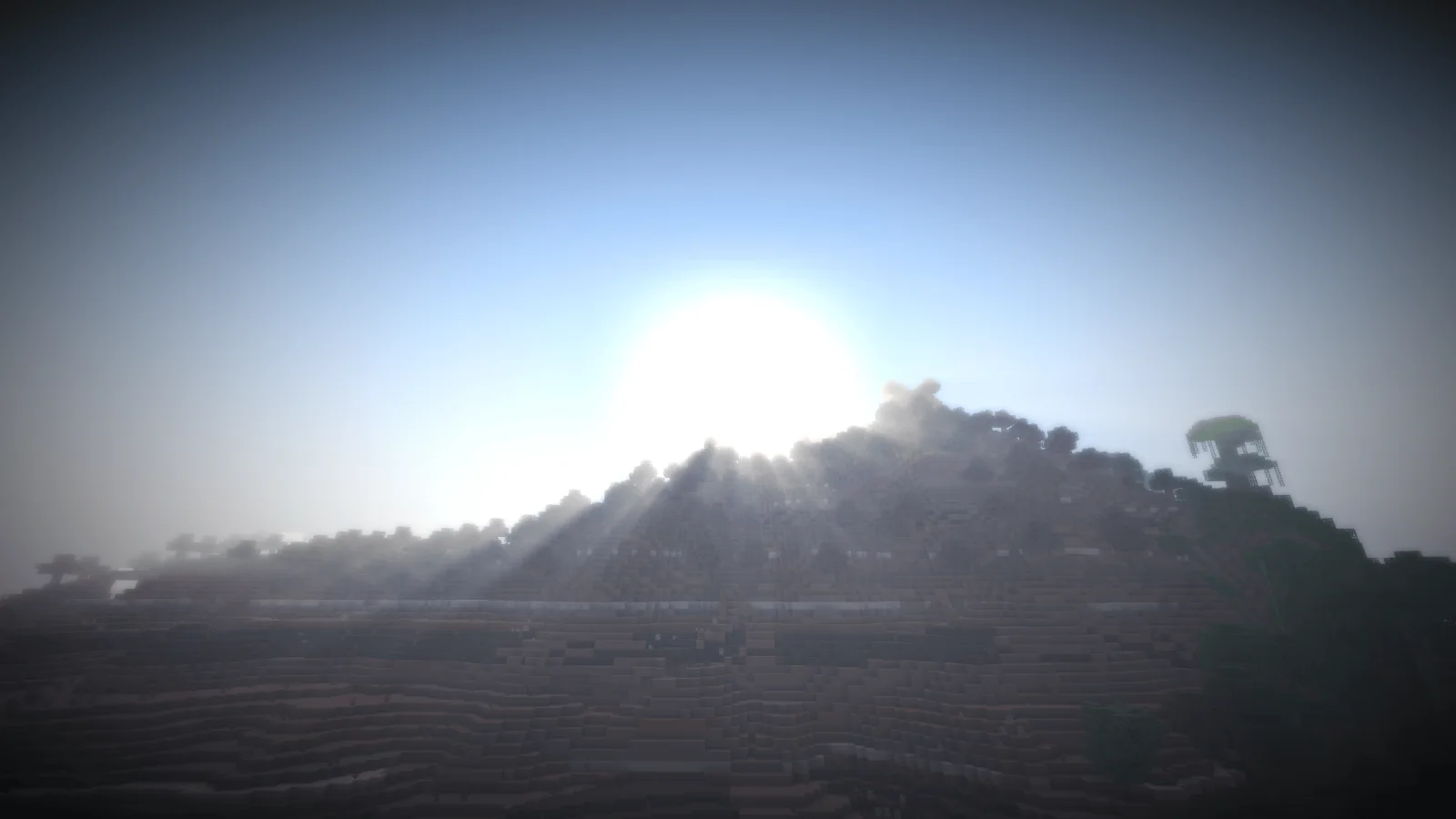
Eliot Shader is a shader pack made by RemyEliot. My first 'okay' shader pack for Iris, with god rays, bloom, colored light & more!
It supports Minecraft 26.x. It has been downloaded 1 times on Modrinth. The last update came out on Nov 16, 2026.
The newest is 1.0.0, released on Nov 15, 2026. It is made for Minecraft 26.3. It runs on Iris and Optifine. The download is 7 KB.
| Version | Released | Minecraft | Type |
|---|---|---|---|
1.0.0 | Nov 15, 2026 | 26.3 | Beta |
Well, well, well... look who's making shaders again.
/
After the somewhat unexpected success of Pain., a shader I originally created as nothing more than a stupid joke, I decided to give this whole shader-making thing another shot. And by unexpected success, I meant 500 downloads.
Unlike Pain., however, this project is an attempt at making something a little more visually appealing, polished, and actually enjoyable to use. I wanted to experiment with shader effects, play around with different visual styles, and put some genuine effort into creating an experience that changes the overall appearance of the game in an interesting way.
The goal of this shader is simple: provide a different visual experience without sacrificing the fun of actually playing the game. Whether you're looking for a fresh look, want to experiment with a different aesthetic, or simply feel like changing things up a little, this shader is my attempt at offering something worth trying.
I spent considerably more time working on this one compared to Pain. Instead of randomly throwing effects together and hoping the result would be funny, I actually took the time to experiment, make adjustments, and work towards a more coherent visual result. Revolutionary concept, I know.
I wanted this shader to have its own identity rather than just being another collection of random effects. The idea was to create something visually distinctive that gives the game a different atmosphere and makes familiar environments feel a little different.
Of course, this is still my first proper attempt at making a shader that I'd consider somewhat serious. I'm learning as I go, experimenting with what works, and figuring out how to make things look the way I want them to. So don't expect a masterpiece developed by a team of graphics engineers with seventeen PhDs. It's just me, a questionable amount of free time, and an increasingly complicated collection of shader settings.
Thanks for checking out my project, and enjoy!
And don't worry. Pain. isn't going anywhere. Unfortunately.
Written by RemyEliot. Read it with pictures on Modrinth.
Install Iris (with Sodium) or OptiFine for your Minecraft version: shaders need one of them.
Download the .zip file from Modrinth. Do not unzip it.
In Minecraft, open Options, then Video Settings, then Shader Packs, and click Open Shader Pack Folder.
Drop the .zip file into that folder, pick Eliot Shader in the list and click Done.
Shaders are heavy on the graphics card. If the game gets slow, pick a lower profile in the shader settings.
Full guide: How to install Minecraft shaders
| Resource | Downloads | Versions | Last update | Price |
|---|---|---|---|---|
| Eliot Shaderthe one you looked at | 1 | 26.x | 5 hours ago | Free |
| Aurelia ShaderVirtualAdi | 311 | 1.20 – 26.x | 19 days ago | Free |
 Knight ShadersGlacierDevelopment | 4,089 | 1.20 – 26.x | Jul 2, 2026 | Free |
 DreamLight ShadersHoneyStudios | 135K | 1.18 – 26.x | Aug 9, 2026 | Free |
Yes. Eliot Shader supports Minecraft 26.x. All supported versions: 26.x.
Yes. Eliot Shader is free to download from Modrinth.
Yes. The last update came out in the past day.
The closest ones are Aurelia Shader, Knight Shaders and DreamLight Shaders. Compare all alternatives
Aurelia ShaderShaders · 1.20 – 26.xA cinematic Iris shader for Minecraft with volumetric clouds, realistic animated water with reflections, god rays, bloom, circular sun and moon, and a green…
Knight ShadersShaders · 1.20 – 26.xA lightweight Minecraft shader with volumetric lighting, dynamic skies, bloom, god rays, and customizable cinematic visuals.
DreamLight ShadersShaders · 1.18 – 26.xA good-performing, dreamy, stylized shader pack with colored lighting and fancy visuals.
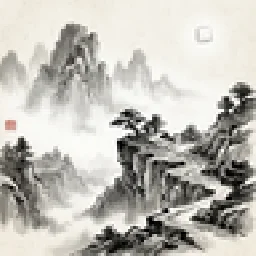 ink-wash-shaderpackShaders · 1.20 – 1.21
is an Iris shader pack for Minecraft, inspired by traditional Chinese ink wash painting art. Using post-processing shader technology, it transforms the game's…
 Zombie Horror ShaderShaders · 1.17 – 26.x
A desaturated, horror-themed shader pack for OptiFine and Iris. Features atmospheric film-grain night lighting and automatically makes the eyes of zombies…
 MiniatureXLShaders · 1.16 – 26.x
Miniature Shader fork. Adding Bloom, Colored Lighting, emissive, Sunrays and Voxy support.
Log in to leave a review.