
 You're in Grave DangerMods · 1.16 – 1.21
A mod focused around death. Will add graves to minecraft
Free4,765,735 downloads
Never lose your items again!
Never lose your items again!
Corpse is a resource made by henkelmax. It supports Minecraft 1.19 – 26.x. It has been downloaded 4,733,337 times on Modrinth. The last update came out on Oct 22, 2026.
Corpse has had 111 releases on Modrinth since Jun 25, 2022. 19 of them came out in the past year. The newest is neoforge-1.1.22+26.3, released on Oct 22, 2026. It is made for Minecraft 26.3. It runs on NeoForge. The download is 246 KB.
| Version | Released | Minecraft | Type |
|---|---|---|---|
neoforge-1.1.22+26.3 | Oct 22, 2026 | 26.3 | Release |
neoforge-1.1.22+26.2 | Oct 22, 2026 | 26.2 | Release |
neoforge-1.1.22+26.1.2 | Oct 22, 2026 | 26.1, 26.1.1, 26.1.2 | Release |
neoforge-1.21.11-1.1.22 | Oct 22, 2026 | 1.21.11 | Release |
neoforge-1.21.1-1.1.22 | Oct 22, 2026 | 1.21, 1.21.1 | Release |
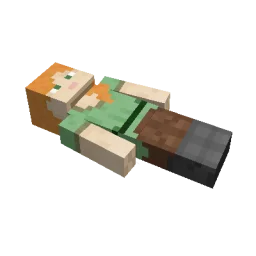
This mod brings a corpse into the game.
It will spawn upon your death containing all items that you had in your inventory.
The corpse will appear at the players location upon death.
Your player skin will be applied to the corpse.
It contains all the items you had when you died.
It can hold an infinite amount of items.
You can access the items by right-clicking the corpse.
When you take out all items, the corpse will disappear.
The corpse can't fall into the void or burn in lava.
It also floats in liquids like lava or water.
After 1 hour, the corpse will turn into a skeleton, indicating that it existed for a longer time.
This won't change the functionality of the corpse.
You get all your items back into their original slots when transferring the items.
You can view all your past deaths by pressing the 'U' key.
You can retrieve lost items if you are in creative mode.
By typing /deathhistory as an operator, you can view the death history of another player.
You can retrieve lost items by pressing the "Items" button in the death history GUI.
Note that you can only take out items if you are in creative mode.
By clicking on the "Location" area in the death history GUI, the command to teleport you to the death location will be displayed in chat.
It includes the coordinates and the dimension.
Written by henkelmax. Read it with pictures on Modrinth.
This mod is needed on both the server and every player who joins.
Install Forge and NeoForge for Minecraft 1.19 – 26.x.
Download the .jar file from Modrinth and put it in the mods folder of your .minecraft directory.
Start Minecraft with the Forge profile.
With the CraftRank Launcher you can skip these steps: open Mods, search for Corpse and click Install.
| Resource | Downloads | Versions | Last update | Price |
|---|---|---|---|---|
| Corpsethe one you looked at | 4.7M | 1.19 – 26.x | 18 days ago | Free |
| You're in Grave Dangerb1n-ry | 4.8M | 1.16 – 1.21 | Jun 22, 2025 | Free |
 Inventory Profiles Nextblackd | 42.2M | 1.16 – 26.x | Sep 27, 2026 | Free |
 XP Tomebl4ckscor3 | 2.9M | 1.12 – 26.x | Sep 20, 2026 | Free |
Yes. Corpse supports Minecraft 26.x. All supported versions: 26.x, 1.21, 1.20, 1.19.
Yes. Corpse is free to download from Modrinth.
Both. The server and every player need Corpse installed.
Yes: Jade 🔍. Install it before Corpse.
Yes. The last update came out in the past day.
The closest ones are You're in Grave Danger, Inventory Profiles Next and XP Tome. Compare all alternatives
You're in Grave DangerMods · 1.16 – 1.21A mod focused around death. Will add graves to minecraft
Inventory Profiles NextMods · 1.16 – 26.xTake control over your inventory. Sort. Move matching Items. Throw all. Locked slots. Gear sets! And much more.
XP TomeMods · 1.12 – 26.xAdds a book that can store a configurable amount of XP.
 Inventory ManagementMods · 1.18 – 26.x
Sort and transfer items with the click of a button.
 Craft & FindMods · 1.20 – 1.21
Find, access, and craft with items from nearby storage — all from one convenient workbench.
 Traveler's BackpackMods · 1.12 – 26.x
Unique and upgradeable backpacks with customisation, Curios API/Trinkets integration and more!
Log in to leave a review.