
 Bloom AuthPlugins · 1.21 – 26.x
Highly Optimized and Supported Auth Plugin. Folia, All Paper Forks, Spigot. 1.21.x - 26.x
Free2 downloads

Highly Optimized and Supported AFK Plugin. Folia, All Paper Forks, Spigot. 1.21.x - 26.x
Direct download from Modrinth · 3 downloads
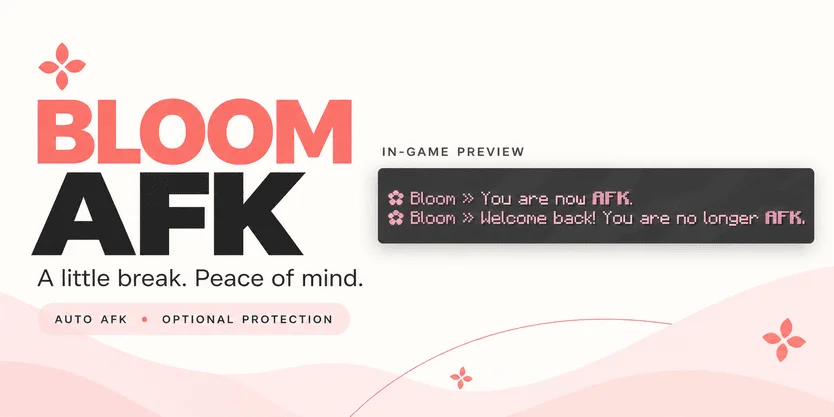
Bloom AFK is a plugin for Paper / Spigot servers, made by Metene. Highly Optimized and Supported AFK Plugin. Folia, All Paper Forks, Spigot. 1.21.x - 26.x.
It supports Minecraft 1.21 – 26.x. It has been downloaded 3 times on Modrinth. That puts it at #120 of the 146 performance plugins listed here. The last update came out on Nov 3, 2026.
Bloom AFK has had 3 releases on Modrinth since Oct 30, 2026. 3 of them came out in the past year. The newest is 1.2, released on Nov 3, 2026. It is made for Minecraft 1.21 – 26.3. It runs on Bukkit, Folia, Paper, Purpur and Spigot. The download is 129 KB.
| Version | Released | Minecraft | Type |
|---|---|---|---|
1.2 | Nov 3, 2026 | 1.21 – 26.3 | Release |
1.0.0 | Nov 3, 2026 | 1.21 – 26.3 | Release |
1.0.0 | Oct 30, 2026 | 1.21 – 26.3 | Release |
The commands named on the Modrinth page of Bloom AFK:
/afk/bloomafkPermission nodes named there, to give with a plugin like LuckPerms:
bloomafk.admin.reloadbloomafk.bypass.kickA little break. Peace of mind.
Bloom AFK adds automatic inactivity detection, manual AFK toggling, and optional protection to your Minecraft server. Friendly pink messages and gentle sounds keep players informed without filling everyone’s chat.
Command · Description
/afk · Toggle your AFK status.
/bloomafk toggle · Toggle AFK using Bloom’s main command.
/bloomafk reload · Reload configuration and language files.
Permission · Description · Default
bloomafk.admin.reload · Reload configuration and language files. · OP
bloomafk.bypass.kick · Bypass automatic AFK kicking. · Disabled
Automatic AFK detection requires no additional player permission.
Language files are located in plugins/BloomAFK/lang/.
No economy plugin, database, or resource pack required. Check the selected release for supported Minecraft versions, server software, and Java requirements.
Plugins such as Essentials may also provide /afk. Configure command routing to use Bloom, or use /bloomafk toggle directly.
Disable overlapping AFK features in other plugins to avoid duplicate messages and conflicting behavior. Changing command routing alone does not disable another plugin’s automatic AFK detection.
Small details. More peaceful breaks.
Written by Metene. Read it with pictures on Modrinth.
Make sure your server runs Paper and Spigot on Minecraft 1.21 – 26.x.
Download the .jar file from Modrinth and put it in the plugins folder of your server.
Restart the server. Avoid /reload, many plugins do not handle it well.
Type /plugins in the console: Bloom AFK should be listed in green. Its config files are created in the plugins folder on the first start.
Full guide: How to install plugins on a Minecraft server
| Resource | Downloads | Versions | Last update | Price |
|---|---|---|---|---|
| Bloom AFKthe one you looked at | 3 | 1.21 – 26.x | 11 days ago | Free |
| Bloom AuthMetene | 2 | 1.21 – 26.x | 11 days ago | Free |
 Bloom SellMetene | 4 | 1.21 – 26.x | 11 days ago | Free |
 Bloom CratesMetene | 2 | 1.21 – 26.x | 7 days ago | Free |
Yes. Bloom AFK supports Minecraft 26.x. All supported versions: 26.x, 1.21.
Yes. Bloom AFK is free to download from Modrinth.
Bloom AFK runs on Paper and Spigot servers.
Yes. The last update came out in the past day.
The closest ones are Bloom Auth, Bloom Sell and Bloom Crates. Compare all alternatives
Bloom AuthPlugins · 1.21 – 26.xHighly Optimized and Supported Auth Plugin. Folia, All Paper Forks, Spigot. 1.21.x - 26.x
Bloom SellPlugins · 1.21 – 26.xHighly Optimized and Supported Sell Plugin. Folia, All Paper Forks, Spigot. 1.21.x - 26.x
Bloom CratesPlugins · 1.21 – 26.xHighly Optimized and Supported Crate Plugin. Folia, All Paper Forks, Spigot. 1.21.x - 26.3
 Bloom GravesPlugins · 1.21 – 26.x
Highly Optimized and Supported Graves Plugin. Folia, All Paper Forks, Spigot. 1.21.x - 26.x
 Bloom Command FilterPlugins · 1.21 – 26.x
Highly Optimized and Supported Command Filter Plugin. Folia, All Paper Forks, Spigot. 1.21.x - 26.x
 Bloom Auto PickupPlugins · 1.21 – 26.x
Highly Optimized and Supported Auto Pickup Plugin. Folia, All Paper Forks, Spigot. 1.21.x - 26.3
Log in to leave a review.